



ライブ検索結果にカスタムソース(例:ユーザー)を表示
デフォルトでは、ライブ検索はデフォルトのエンジンを使用します。これは、WP_Post オブジェクト(例:投稿、ページ、カスタム投稿タイプなど)に基づくソースに限定されます。
searchwp_live_search_get_search_form_engine フックを使用してライブ検索結果に補足エンジンを使用できますが、補足エンジンのカスタム結果テンプレートを使用する必要があるのと同じように、カスタムソースからの結果を表示したい場合はライブAjax検索にカスタム結果テンプレートを使用する必要があります。
SearchWPライブAjax検索には、カスタムソースの結果を出力するために利用できるテンプレート構造があります。
この例では、補足エンジンからのユーザーを考慮したライブAjax検索結果テンプレートをまとめます。
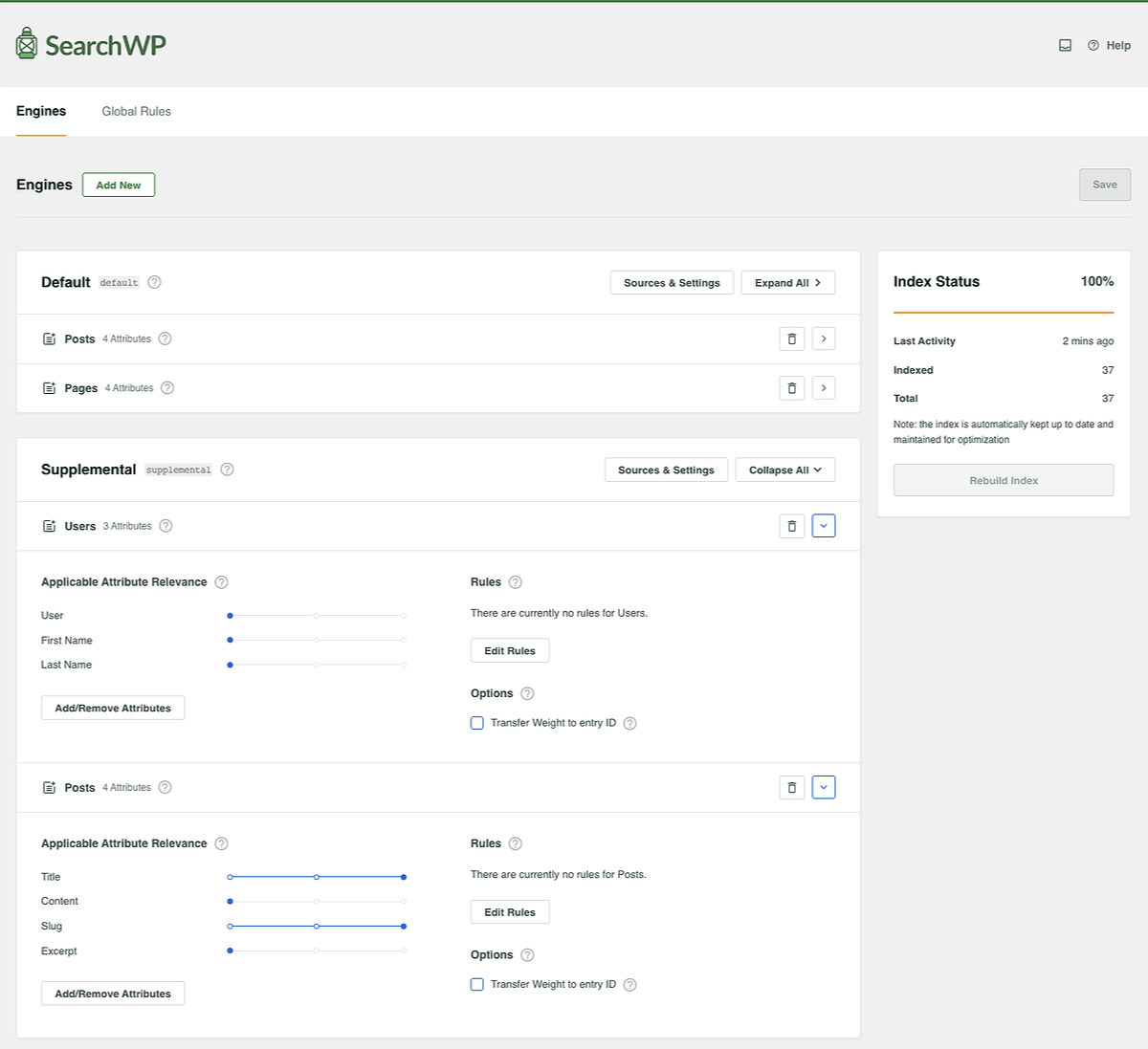
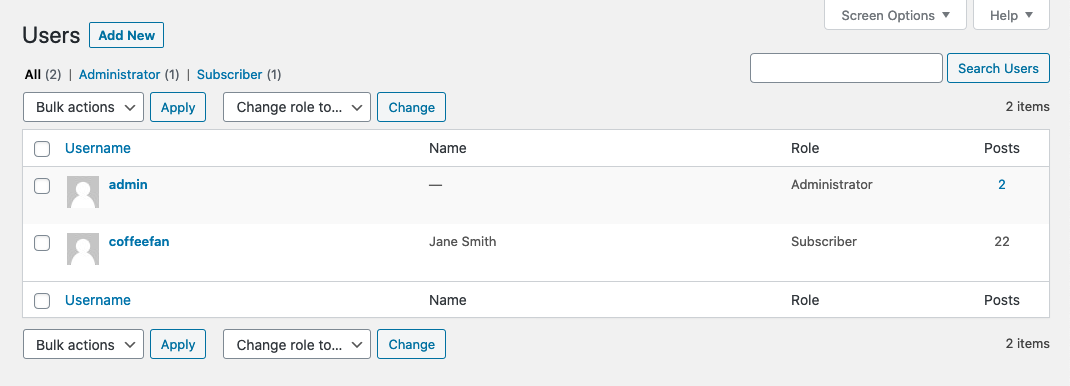
この例のサイトでは、ユーザー名が「coffeefan」で表示名が「Jane Doe」のユーザーがいます。
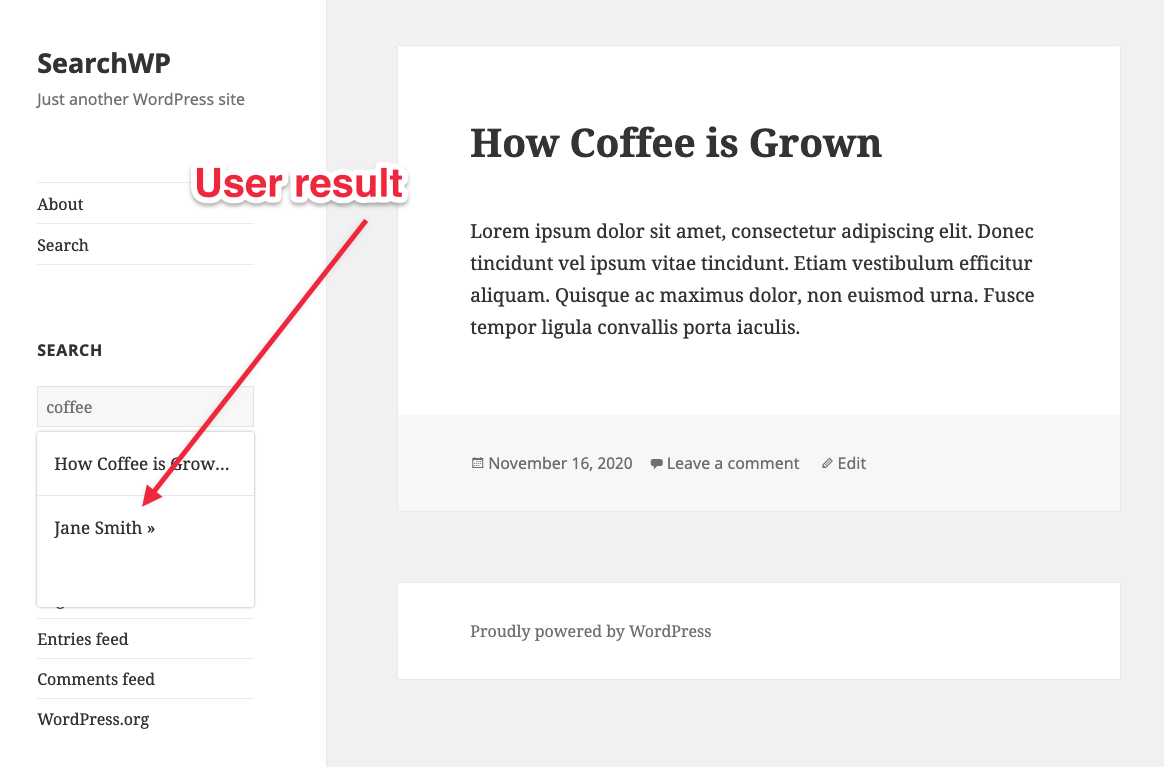
ライブAjax検索でcoffeeを検索すると、カスタム結果テンプレートにその結果とコーヒーに関する別の投稿が含まれます。
このカスタムライブ検索結果テンプレートを実装するには、テーマディレクトリにsearchwp-live-ajax-searchというフォルダを作成し、そのフォルダ内にsearch-results.phpというファイルを作成して、このコードを記述します。
This file contains hidden or bidirectional Unicode text that may be interpreted or compiled differently than what appears below. To review, open the file in an editor that reveals hidden Unicode characters.
Learn more about bidirectional Unicode characters
| <?php | |
| // Execute a search using our supplemental SearchWP Engine. | |
| // @link https://searchwp.com/documentation/knowledge-base/custom-source-results-live-search/ | |
| $search_query = isset( $_REQUEST['s'] ) ? sanitize_text_field( $_REQUEST['s'] ) : null; | |
| $search_results = []; | |
| if ( ! empty( $search_query ) && class_exists( '\\SearchWP\\Query' ) ) { | |
| $searchwp_query = new \SearchWP\Query( $search_query, [ | |
| 'engine' => 'supplemental', // The Engine name. | |
| 'fields' => 'all', // Load proper native objects of each result. | |
| ] ); | |
| $search_results = $searchwp_query->get_results(); | |
| } | |
| ?> | |
| <?php if ( ! empty( $search_query ) && ! empty( $search_results ) ) : ?> | |
| <?php foreach ( $search_results as $search_result ) : ?> | |
| <?php | |
| switch( get_class( $search_result ) ) { | |
| case 'WP_Post': | |
| ?> | |
| <div class="searchwp-live-search-result" role="option" id="" aria-selected="false"> | |
| <p><a href="<?php echo esc_url( get_permalink( $search_result->ID ) ); ?>"> | |
| <?php echo get_the_title( $search_result->ID ); ?> » | |
| </a></p> | |
| </div> | |
| <?php | |
| break; | |
| case 'WP_User': | |
| ?> | |
| <div class="searchwp-live-search-result" role="option" id="" aria-selected="false"> | |
| <p><a href="<?php echo get_author_posts_url( $search_result->data->ID ); ?>"> | |
| <?php echo esc_html( $search_result->data->display_name ); ?> » | |
| </a></p> | |
| </div> | |
| <?php | |
| break; | |
| } | |
| ?> | |
| <?php endforeach; ?> | |
| <?php else : ?> | |
| <p class="searchwp-live-search-no-results" role="option"> | |
| <em><?php esc_html_e( 'No results found.', 'swplas' ); ?></em> | |
| </p> | |
| <?php endif; ?> |
この結果テンプレートは、switchステートメントで決定される各結果タイプのさまざまな属性を出力するように、自由にカスタマイズできます。
