


We’ve all been there. You land on an online store looking for a specific product, but you’re faced with pages and pages of items with no way to narrow them down.
You try scrolling, but after a few minutes, you give up and leave. That’s exactly what happens to your visitors when your WordPress site doesn’t have proper product filtering.
They want to find what they need quickly, but without filters, they’re stuck hunting through endless options.
Over the past several months, we’ve tested dozens of WordPress filter plugins on real stores. We’ve installed them, set up filters for different product types, and watched how they perform under actual shopping conditions.
In this article, we’ll show you the best WordPress filter plugins that actually work. You’ll see options for every budget and skill level, all tested by our team to make sure they deliver results.
| # | Plugin Name | Best For | Starting Price |
|---|---|---|---|
| 1. | WPFilters ? | Best all round no-code filtering solution | $49/year |
| 2. | Themify Product Filter | Websites using Themify themes | $89/year |
| 3. | YITH WooCommerce Ajax Product Filter | Beginners starting their first store | Free + $89.99/year |
| 4. | Search & Filter | Best free filtering solution beyond products | Free |
| 5. | HUSKY Products Filter | Developers and SEO-focused stores | Free + $42/year |
| 6. | Filter Everything | Sites needing multi-purpose filtering | Free |
How We Test and Review Filtering Plugins
Testing filter plugins isn’t just about installing them and seeing if they work. We needed to know how they perform in real situations where customers are actually trying to find products.
We set up multiple test WordPress sites with different themes and page builders. Each site had a catalog of products with various attributes like size, color, price ranges, and categories. This gave us a realistic environment to see how each plugin handled actual filtering tasks.
Here’s what we focused on during testing:
- Ease of Setup: We checked how quickly we could create filters without needing technical skills or documentation
- Filter Performance: We measured how fast results loaded when selecting multiple filter options
- Mobile Responsiveness: We tested every plugin on phones and tablets to ensure filters worked smoothly on smaller screens
- Compatibility: We installed each plugin with popular page builders like Elementor and various themes to check for conflicts
- Real-World Usage: We simulated actual shopping scenarios with multiple filter combinations to see how each plugin handled them
This hands-on approach showed us which plugins actually deliver smooth filtering experiences and which ones fall short.
1. WPFilters – Best All-Around Filter Plugin with No-Code Setup
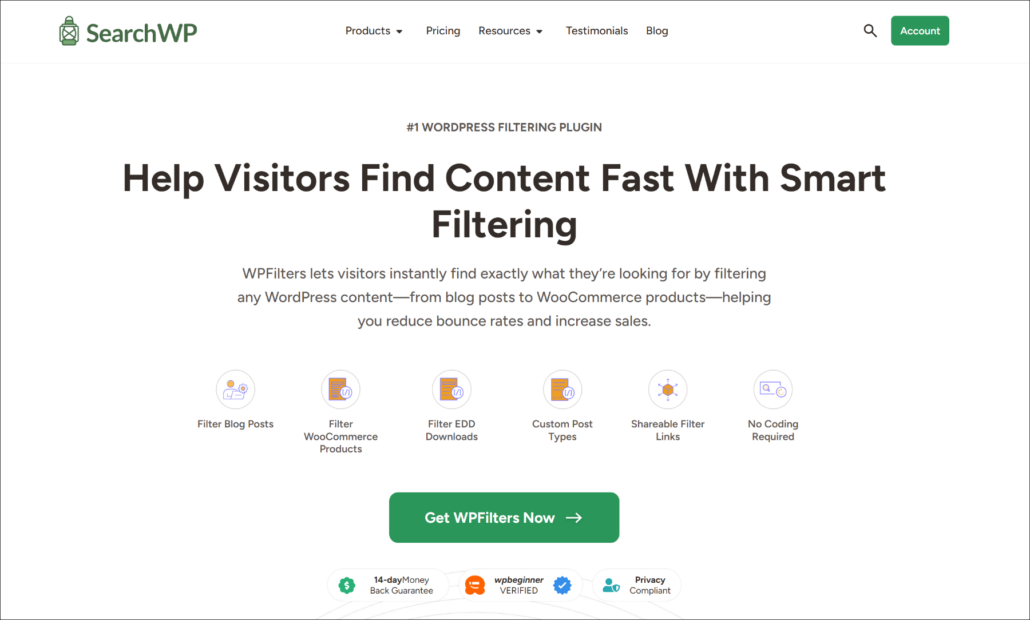
WPFilters is the best overall filter plugin for WordPress that we tested. It is created by the same team behind SearcWP and is super easy to use.
WPFilters stood out immediately because it offers powerful features for filtering content and products. It allows you to create multiple types of filters, such as checkboxes, dropdowns, slider ranges, radio buttons, and more.
We didn’t need to learn a new interface or juggle separate dashboard panels. Everything happened right where we were already working, which made the setup process feel natural and quick.
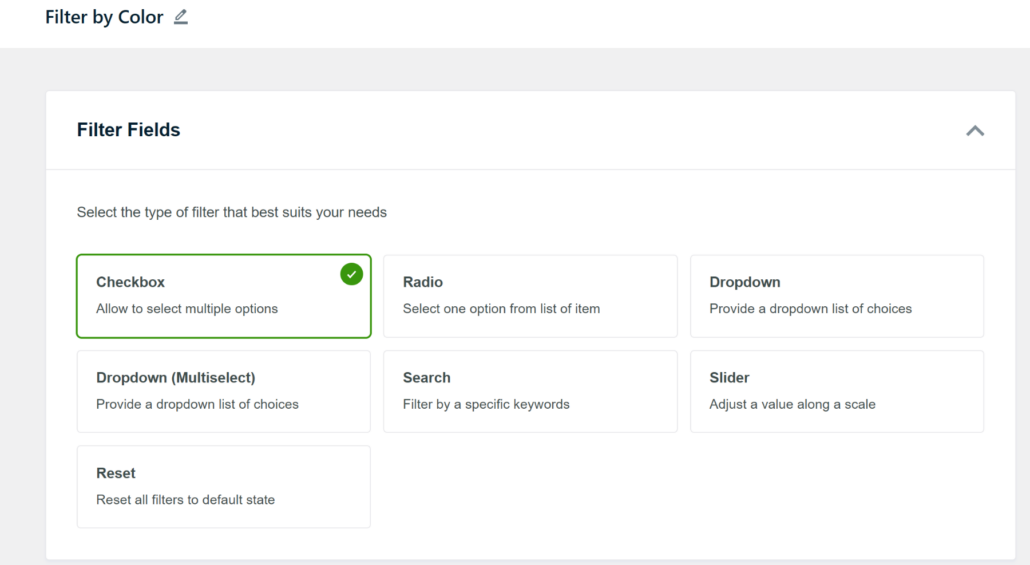
What impressed us most was how WPFilters handles more than just WooCommerce products.
We set up filters for blog posts and digital downloads, creating a consistent experience across the entire site.
The plugin makes it very easy to connect a data source for your filter in WordPress. For example, we were able to create filters for blog post categories, tags, product attributes, brands, and more.
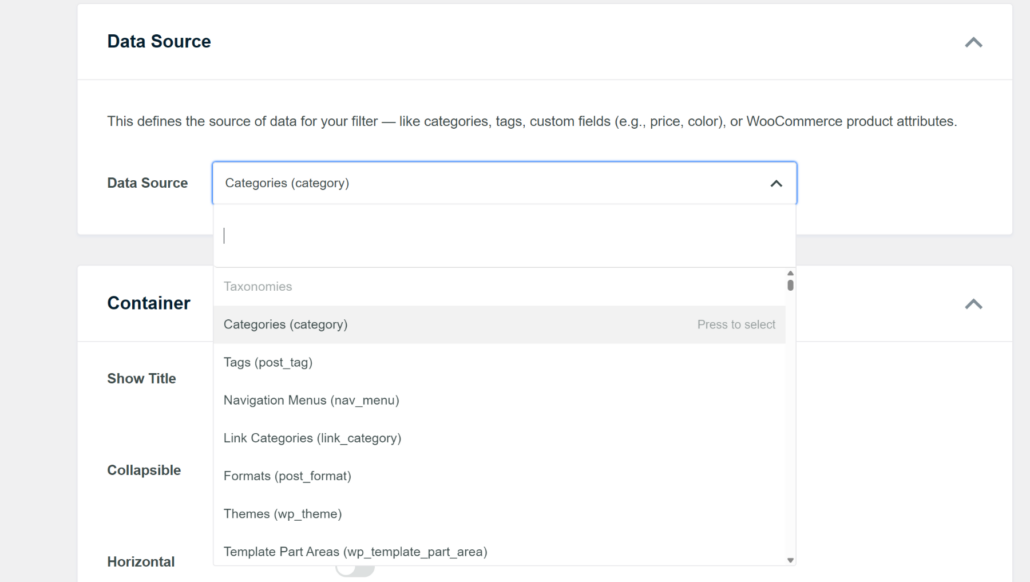
The AJAX live filtering worked smoothly during our tests. Results updated instantly as we selected different options, with no page reloads or awkward loading screens.
We also loved the shareable filter URLs feature. When customers applied specific filters, the URL updated automatically so they could bookmark their search or share it with others.
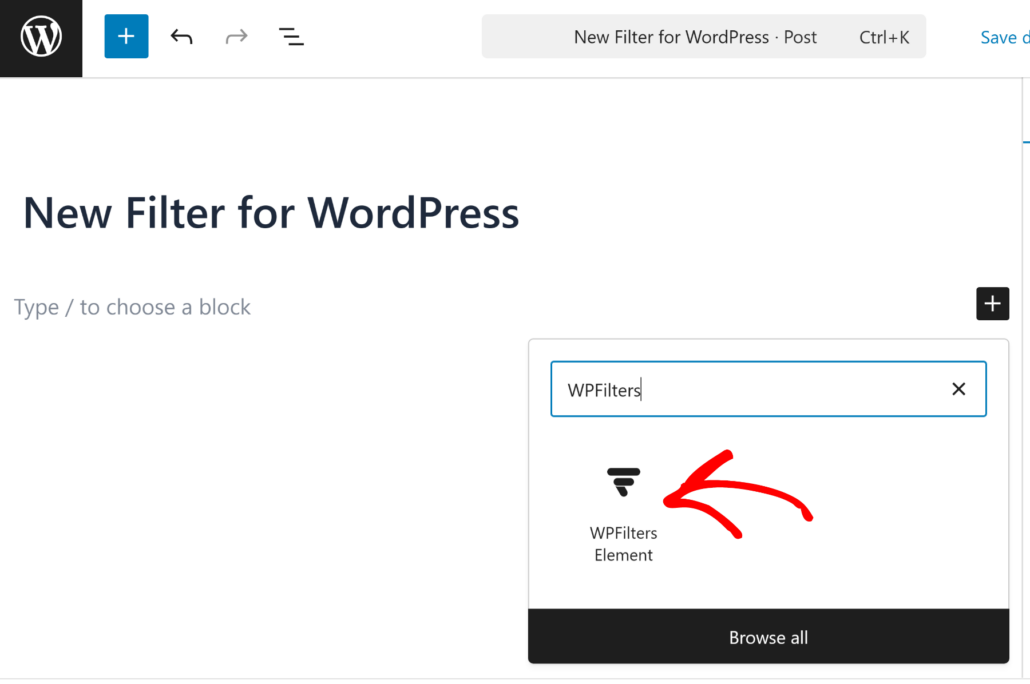
With WPFilters, you can easily embed your filters anywhere on your site. It offers a Gutenberg block, so you can show filters on any page or sidebar. Plus, there is also an option to embed filters using shortcodes and PHP code.
Pros:
- No-code setup works directly in WordPress
- Filters products, posts, and custom content types
- AJAX filtering updates results instantly
- Shareable filtered URLs for bookmarking and sharing
- Mobile-friendly and fully responsive
Cons:
- No free version
Our Verdict: WPFilters is our top choice for store owners who want powerful filtering without touching code. The ability to filter multiple content types makes it perfect for growing websites that need flexibility. If you want Amazon-style filtering across your entire WordPress site, WPFilters delivers without the complexity.
Pricing: Starts at $49/year. Get started with WPFilters today!
2. Themify Product Filter – Best for Themify Theme Users
If you’re running a Themify theme, you know how frustrating it can be when plugins clash with your design. Themify Product Filter solves this problem by integrating seamlessly with Themify themes right out of the box.
We tested this plugin, and the filters matched our design instantly. Fonts, spacing, and layout aligned perfectly without writing a single line of CSS. The setup wizard made creating our first filter simple, and we had working filters in the sidebar within minutes.
The dropdown layout option impressed us most during testing. When sidebar space got tight, we switched to dropdown mode, and filters collapsed neatly until customers needed them.
We also set up color swatches for product variations, letting customers click visual color blocks instead of reading through text dropdowns.
The AJAX filtering worked smoothly with instant results and no page reloads. However, when we tested it on a non-Themify theme, styling broke and required custom CSS fixes. This plugin clearly works best within the Themify ecosystem.
Pros:
- Automatic styling compatibility with Themify themes
- AJAX filtering with instant results
- Multiple layout options, including horizontal and dropdown
- Visual swatches for colors and images
- Custom taxonomy support without extra setup
- Clean setup wizard for beginners
Cons:
- Requires manual CSS work on non-Themify themes
- Limited pre-built templates compared to competitors
- Documentation lacks depth for advanced customization
Our Verdict: Themify Product Filter is the clear winner if you’re already using a Themify theme. The seamless design integration and smooth filtering make it worth using. However, if you’re running a different theme, you’ll likely spend extra time fixing styling issues that other plugins handle automatically.
Pricing: Free version available. Paid plans start at $89/year
3. YITH WooCommerce Ajax Product Filter – Beginner-Friendly Filter Plugin
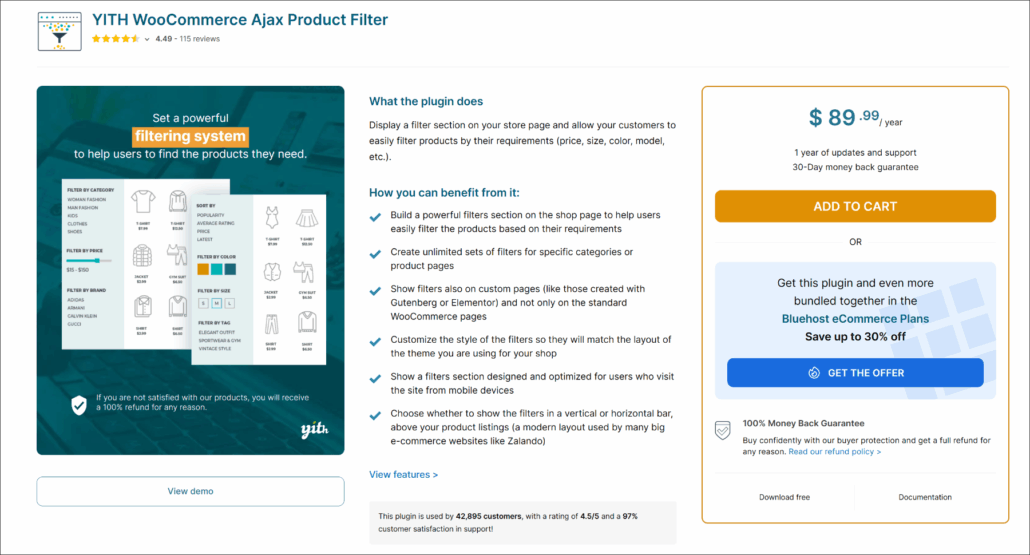
Starting a WooCommerce store can feel overwhelming with so many plugins to choose from. YITH WooCommerce Ajax Product Filter removes that complexity by offering working AJAX filters right out of the box.
We installed this plugin on a test store and had filters running in under five minutes. The widget interface made everything clear with straightforward labels, so we knew exactly what each setting controlled.
We added the filter widget to our shop sidebar, selected our filter types, and could immediately start filtering products by category, price, and attributes.
The AJAX functionality worked perfectly during our tests. When we clicked filter checkboxes, products refreshed instantly without reloading the entire page.
The price range slider also impressed us, letting customers drag to adjust their budget while results were updated in real time.
However, we noticed that advanced features like color swatches and dropdown layouts were locked behind the premium version. For stores needing basic checkbox and slider filters, the free version handles everything you need.
Pros:
- Free version includes working AJAX filters
- Simple widget interface perfect for beginners
- Works with most WooCommerce themes out of the box
- Range sliders for price and numeric filtering
- Unlimited filter sets for different shop pages
Cons:
- Design customization is limited in the free version
- Advanced filter types require a premium upgrade
- Fewer styling options compared to competitors
Our Verdict: YITH WooCommerce Ajax Product Filter is the best starting point for beginners who want reliable filtering without upfront costs. The free version covers essential filtering needs, and you can upgrade to premium later if you need advanced layouts like color swatches.
Pricing: Free version available. Premium starts at $89.99/year
4. Search & Filter – Best for Filtering Beyond Products

Most filter plugins focus solely on WooCommerce products, but Search & Filter takes a different approach by letting you filter any WordPress content.
We tested it on posts, pages, and custom post types, making it perfect for blogs, news sites, and directories that need filtering without running an online store.
We installed the free version and immediately appreciated how it works with categories, tags, custom taxonomies, post types, and post dates.
The flexibility stood out during testing because we could create filters for blog posts by category and date, then switch to filtering custom post types by taxonomy on another page. This versatility makes it useful for sites that go beyond simple product catalogs.
Setting up filters required using shortcodes, which felt a bit old-school compared to block editor plugins like WPFilters. We noticed mixed feedback from users about version updates. Some praised the excellent support team for solving complex issues quickly, while others struggled with upgrading from older versions.
Pros:
- Filters any content type, not just products
- Works with categories, tags, custom taxonomies, and post dates
- Free version includes solid filtering functionality
- Compatible with popular themes and plugins
- Excellent support team according to user reviews
Cons:
- Interface feels outdated compared to modern plugins
- Setup relies on shortcodes instead of blocks
- Styling requires custom CSS
- Version upgrades can cause migration issues
Our Verdict: Search & Filter is the best choice if you’re looking for a free option and want to set up filtering content beyond products. If you run a blog, news site, or directory that needs category and taxonomy filtering, this free plugin handles it well.
Pricing: Free to use.
5. HUSKY – Best for Developers and SEO

If you care about SEO and want Google to index your filtered product pages, HUSKY Products Filter stands out from other plugins.
Unlike typical AJAX filters that keep URLs unchanged, HUSKY generates clean, readable links that search engines can crawl and index.
We tested HUSKY (formerly known as WOOF) on a store with hundreds of products and immediately noticed the SEO-friendly URL structure. Instead of generic URLs like ?filter=123, HUSKY created readable paths like /color-red/product_cat-sport/.
These clean URLs can be added to your sitemap, helping search engines discover and rank your filtered product pages.
The plugin offers extensive customization through its settings panel. However, the interface feels more technical than visual builders, with most configuration happening through text-based settings rather than drag-and-drop blocks.
During testing, we found HUSKY lightweight and fast on the front end. However, beginners might struggle with the setup since there’s no visual preview, and documentation assumes some coding knowledge. Developers will appreciate the ability to hook into the system and extend functionality with custom code.
Pros:
- SEO-friendly URLs that search engines can index
- Works with categories, tags, price sliders, and custom fields
- Lightweight and fast front-end performance
- Highly customizable for specific filtering needs
- Developer-friendly with hooks and extensions
Cons:
- Interface feels technical for beginners
- No visual preview during setup
- Limited styling options without CSS
- Documentation assumes coding knowledge
Our Verdict: HUSKY Products Filter is the best choice for developers and SEO-focused stores that need advanced filtering control. The clean, indexable URLs give you an SEO advantage that most other filter plugins can’t match. However, if you’re a beginner looking for drag-and-drop simplicity, other plugins on this list will be easier to use.
Pricing: Free version available. Pro starts at $42/year
6. Filter Everything – Best for Multi-Purpose Filtering
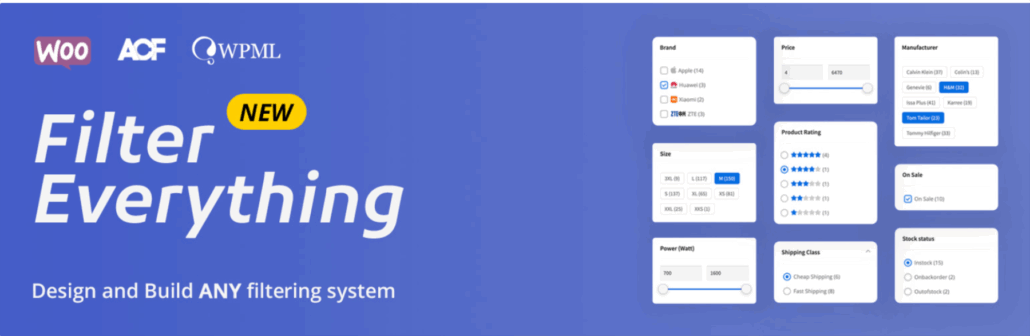
Most filter plugins lock you into filtering just WooCommerce products, but Filter Everything breaks that limitation by letting you filter any WordPress content from a single plugin.
We tested it on products, blog posts, and custom post types, making it perfect for sites that need filtering across multiple content areas.
We installed the free version and created our first filter set directly from the dashboard. The setup process let us choose which content type to filter, and we started with WooCommerce products.
Adding filters for brand, price range, and category through the widget interface felt straightforward with clearly labeled options that made sense from the start.
What impressed us most was the plugin’s support for custom taxonomies and fields created with Advanced Custom Fields (ACF).
However, we noticed that advanced filter layouts like horizontal grids and tabbed interfaces were locked behind the premium version. The free version handles basic vertical filter layouts well, but styling beyond the defaults requires custom CSS work.
Pros:
- Filters products, posts, pages, and custom post types
- AJAX filtering with instant results
- Works with custom fields and taxonomies
- Single plugin handles all content filtering needs
- Widget and shortcode placement options
Cons:
- Advanced layouts require the premium version
- Custom CSS needed for detailed styling
- Learning curve for complex post type filtering
- Interface less polished than specialized plugins
Our Verdict: Filter Everything is the best choice if you need one plugin to handle filtering across your entire WordPress site. Instead of installing separate plugins for products, posts, and custom content, you can manage everything from one dashboard.
Pricing: Free WordPress filtering plugin.
FAQs about WordPress Filter Plugins
1. Do I need a filter plugin if I only have a few products?
If you only have 10-20 products, you probably don’t need a filter plugin yet. Customers can easily browse through a small catalog without feeling overwhelmed.
However, once you reach 50+ products or add multiple categories and variations, filters become helpful. They let customers narrow down options quickly instead of scrolling through pages of products they don’t want.
2. Will filter plugins slow down my website?
Filter plugins can affect your site speed, but it depends on which one you choose and how you set it up. We tested all the plugins in this guide and found that lightweight options like HUSKY and WPFilters had minimal impact on page load times.
AJAX filtering actually improves the user experience by updating results without reloading the entire page. Just make sure to use a good caching plugin and choose a filter plugin that’s coded efficiently.
3. Can I use filter plugins with any WordPress theme?
Most filter plugins work with any WordPress theme, but compatibility varies. Plugins like WPFilters and YITH WooCommerce Ajax Product Filter work with most themes right out of the box.
Themify Product Filter works best with Themify themes, and you might need custom CSS to fix styling issues on other themes. Before committing to a plugin, check if it’s been tested with your theme or install the free version first to test compatibility.
4. What’s the difference between AJAX filtering and regular filtering?
Regular filtering reloads the entire page every time someone selects a filter option. This creates a clunky experience with loading screens between each filter selection.
AJAX filtering updates only the product results without reloading the whole page. Customers see results instantly, making the shopping experience smoother and faster. All the plugins we recommend in this guide support AJAX filtering.
5. Do filter plugins work with WooCommerce variable products?
Yes, most quality filter plugins handle WooCommerce variable products. They can filter by product attributes like size, color, and material that you’ve set up in WooCommerce.
Plugins like WPFilters and YITH WooCommerce Ajax Product Filter automatically detect your product variations and create filter options from them. You don’t need to manually configure each variation.
Choosing the Right WordPress Filter Plugin for Your Store
Adding filters to your WordPress site transforms how customers find products. Instead of endlessly scrolling through pages, they can narrow down exactly what they need in seconds.
After testing all these plugins, we found that WPFilters offers the best balance of features and ease of use for most store owners.
The no-code block editor integration makes setup simple, and the ability to filter products, posts, and other content gives you flexibility as your site grows.
If you’re just starting out with a small budget, the free versions of YITH WooCommerce Ajax Product Filter or Filter Everything provide solid filtering without upfront costs.
You can always upgrade later when your store grows, and you need advanced features.
We hope this article helped you pick the best WordPress filter plugin for your site. You may also want to see our guides on how to filter WooCommerce by product type and how to add a reset filter button in WordPress.
If you are ready to improve your site navigation, you can get started with WPFilters here.