
WooCommerce products carry a lot of data: descriptions, custom fields, tags, categories, SKUs, and more.
But limiting product search to product titles helps your online store deliver more precise results, so your visitors can find specific products faster.
So instead of getting a result page full of loosely related products that match a word buried in a description somewhere, you get accurate search results.
In this article, we’ll show you how to restrict WooCommerce product search to title only in WordPress.
Why Restrict WooCommerce Product Search to Title Only?
It’s always important to offer your store visitors the best possible user experience. One of the ways you can do this is to make sure that they find the products they’re looking for fast.
When shoppers search your store, they don’t want to scroll through lots of results to find what they need. Many eCommerce stores lose potential sales because of this. If you want to avoid this, you need to improve how your site searches for products.
Restricting WooCommerce product search to title only improves your store search. It helps your store to target products better and offer more relevant results.
By default, WooCommerce checks titles, slugs, and short descriptions for product search results. However, some product descriptions may have keywords that do not match what the user is looking for.
When users type a keyword into the WooCommerce search form, your site will show products with that keyword in the description. This can make your search less efficient and affect the search experience negatively.
For example, a t-shirt’s description may include words like “Wear with denim jean trousers.” When the shopper searches for ‘denim’ or ‘jeans,’ your site will show this t-shirt too.
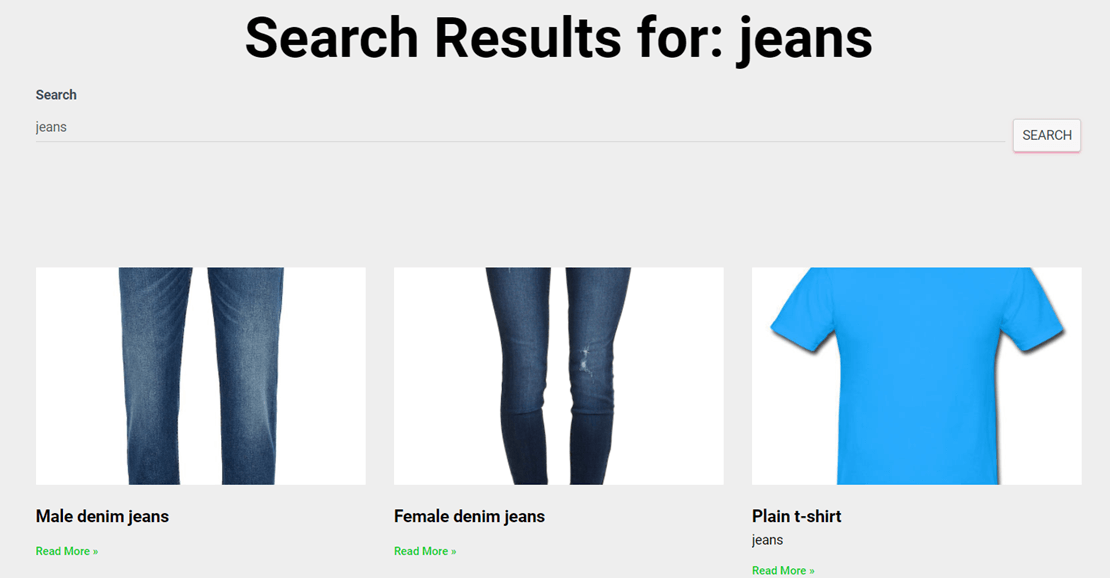
If you have a large store with similar products, then you don’t want this. It means your users may have to scroll through lots of irrelevant results. You can restrict WooCommerce product search to the title only to make your search more precise.
This way, your store visitors can enjoy a better user experience, and you’ll get to sell more through your site.
You can easily restrict WooCommerce product search to title only by using a WordPress plugin.
Using a plugin has lots of benefits over adding code to your site manually. When you use a plugin:
- You don’t need to hire a developer.
- You don’t need to be a WordPress expert.
- Even if you’re technically sound, a plugin will save you time so you can focus on growing your business.
Now, let’s talk about how to use a plugin to restrict WooCommerce product search to title only.
How to Restrict WooCommerce Product Search to Title Only
The easiest way to restrict WooCommerce product search to title only is to use SearchWP.
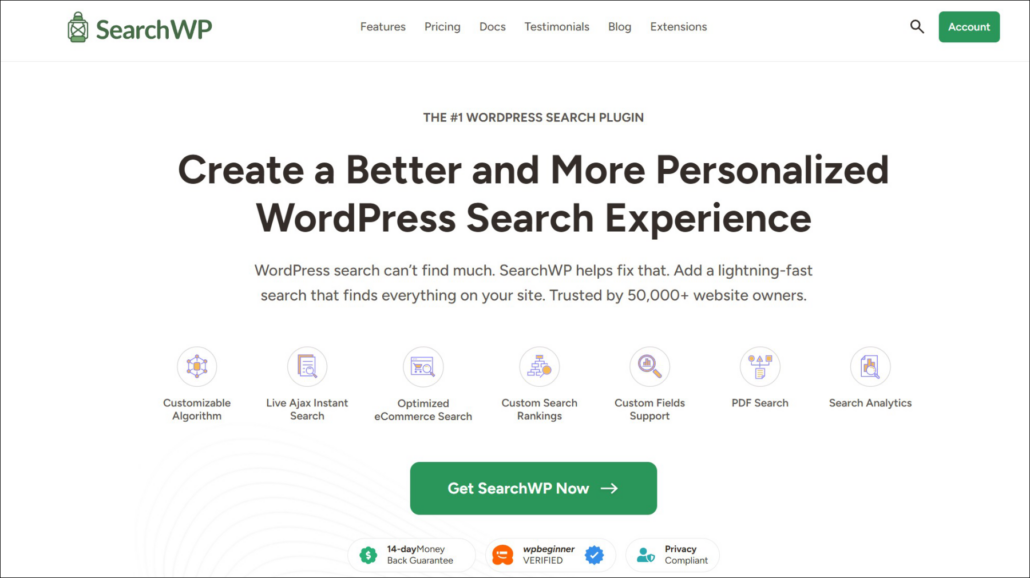
It is the best WordPress search plugin. You can use the plugin to restrict WooCommerce product search to the title only. This way, you get to improve your eCommerce site’s search experience without writing any code.
SearchWP is easy to use, and you only need to change a few settings to refine your site’s search completely. You can fully customize how your site looks for search results.
Other powerful SearchWP features include:
- Multiple search engines: You can set up different search engines on your site. Each engine can show different results and can be placed in different locations.
- Search insights and statistics: SearchWP saves information about what site visitors are looking for on your website. These statistics can help you understand your users better and improve your inventory.
- Fully-featured search: You can look for search results in product attributes like variations and categories. With SearchWP, you can search everything in your store — even custom fields.
- Live Search Results: Your customers can see instant results as they type, making it easier for them to find what they’re looking for and potentially boosting your sales.
SearchWP integrates automatically with WordPress native search. So it takes minimal effort to set up, and you get to enjoy advanced search features without breaking a sweat.
Now, let’s look at how to use it to restrict WooCommerce product search to title only.
Step 1: Install and Activate SearchWP
First, visit the SearchWP website and sign up for a new account.
Once signed in, head to the Downloads tab in your account area.
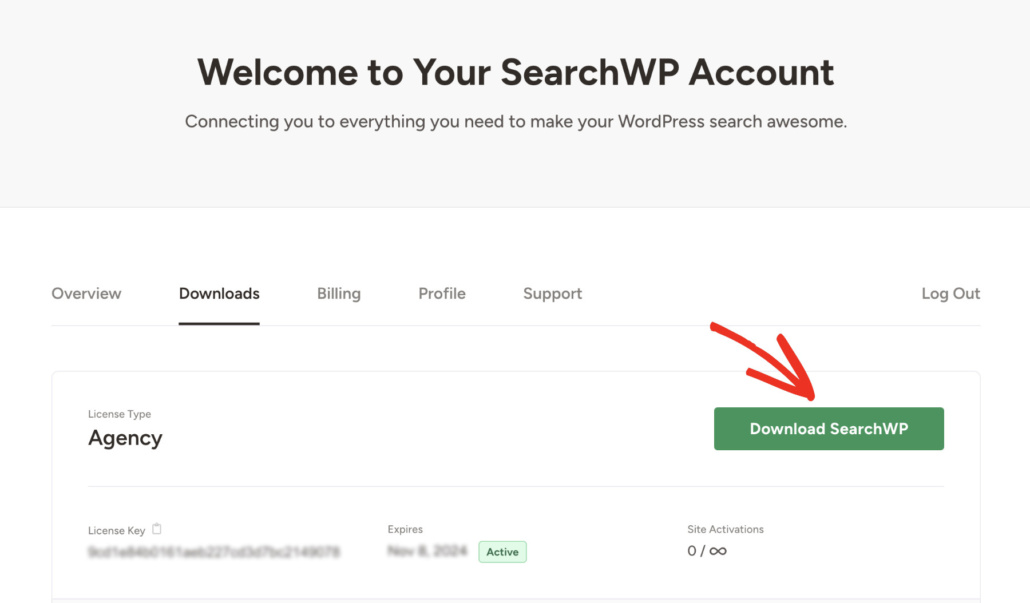
Next, you can click Download SearchWP and save the ZIP file to your computer. We recommend copying the license key at this point, as you’ll need it shortly.
Next, install and activate the plugin on your WordPress site. Need help with this? See this guide on how to install a WordPress plugin.
After activation, the setup wizard will launch. Simply click Start Onboarding Wizard and follow the instructions to complete the initial configuration.
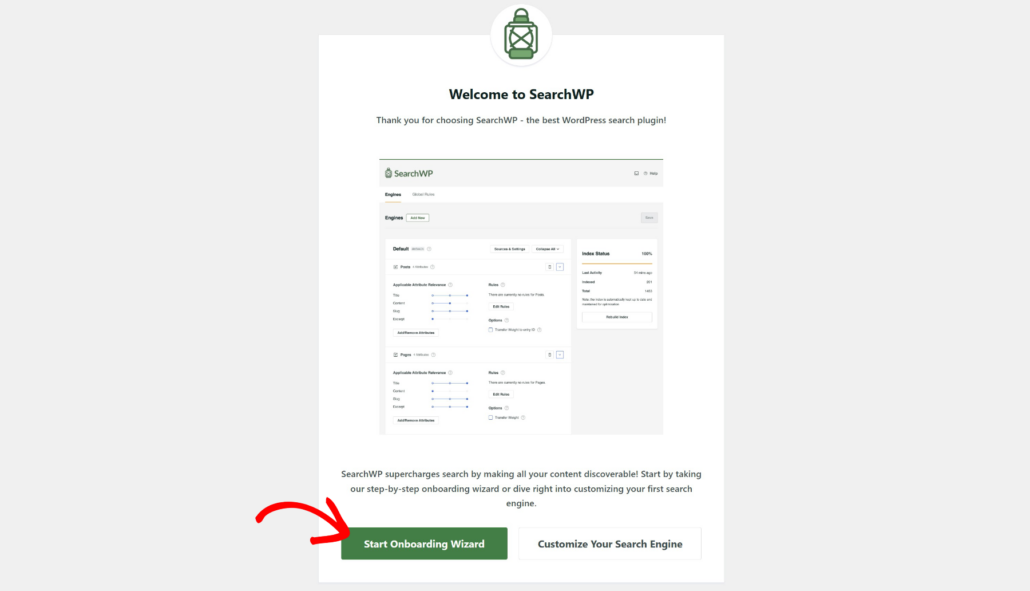
Step 2: Install and Activate the SearchWP WooCommerce Extension
To connect SearchWP with your WooCommerce store, you’ll need the WooCommerce Integration extension. Navigate to SearchWP » Extensions from your WordPress dashboard.
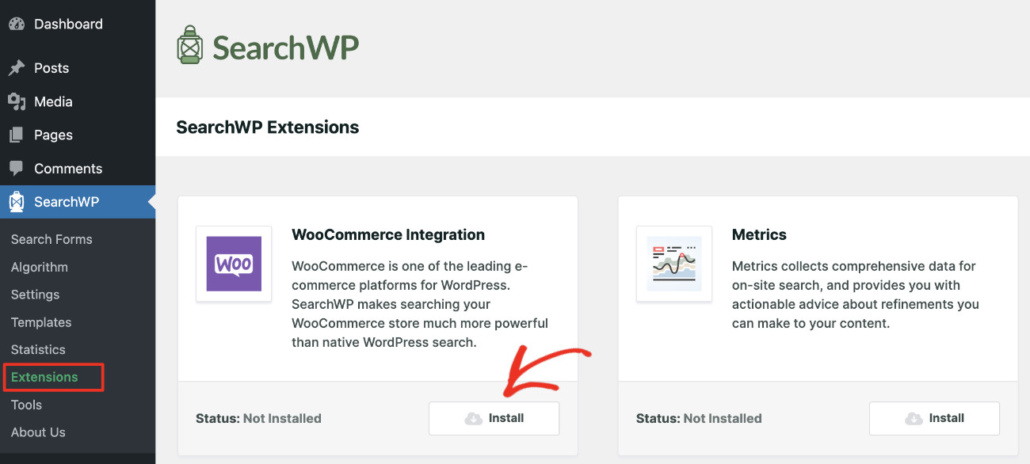
Next, you can find the WooCommerce Integration extension in the list and click Install.
Once it’s active, SearchWP will recognize your WooCommerce products as a searchable content source.
Step 3: Customize Your SearchWP Search Engine
SearchWP uses search engines to control how your site looks for search results. It can decide where the site should look and which attributes to consider. You can also add other specific rules for even more control.
The first step to limiting product search to product titles is to add products as a source for your search index.
To do this, navigate to SearchWP » Algorithm. You’ll see the default engine. You can either choose to create a new search engine or edit the existing one.
Let’s go with the default engine for the purpose of this tutorial. To start, you can click on Sources & Settings.
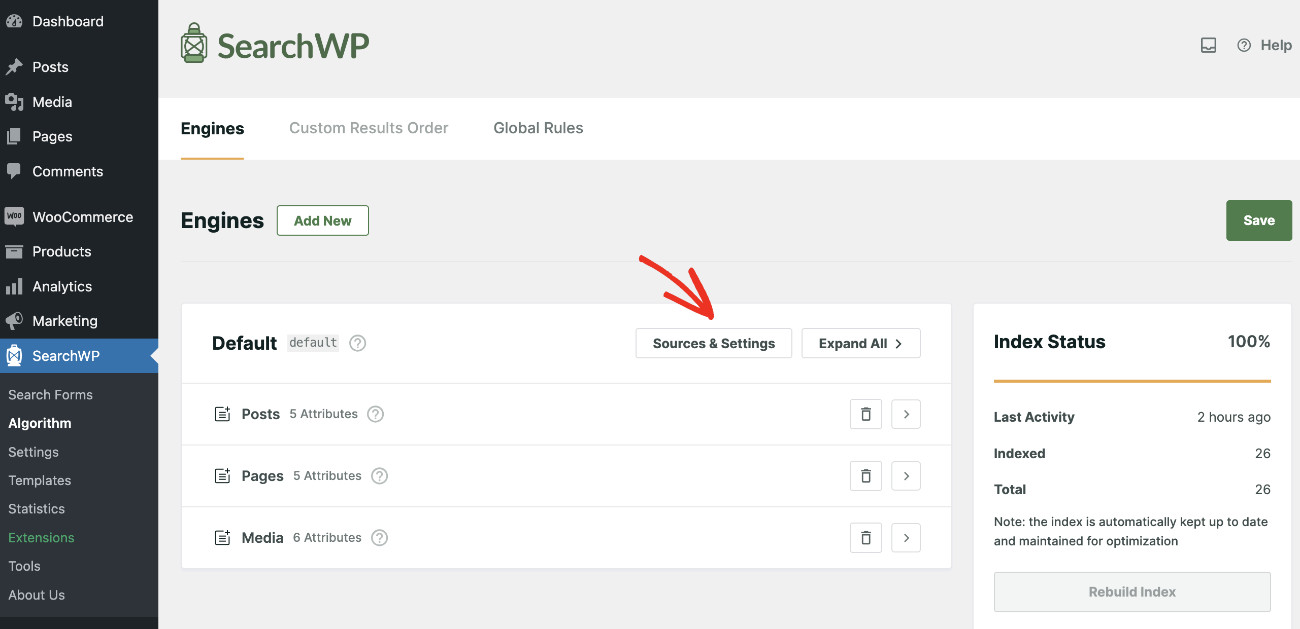
Now, a new windown will open. Make sure to select “Products” from the list so that SearchWP considers WooCommerce products when looking for search results.
You can choose as many sources as you’d like based on your needs. If you want to limit your results to products only, simply uncheck all the other boxes. But for this tutorial, we will consider all the default sources along with products.
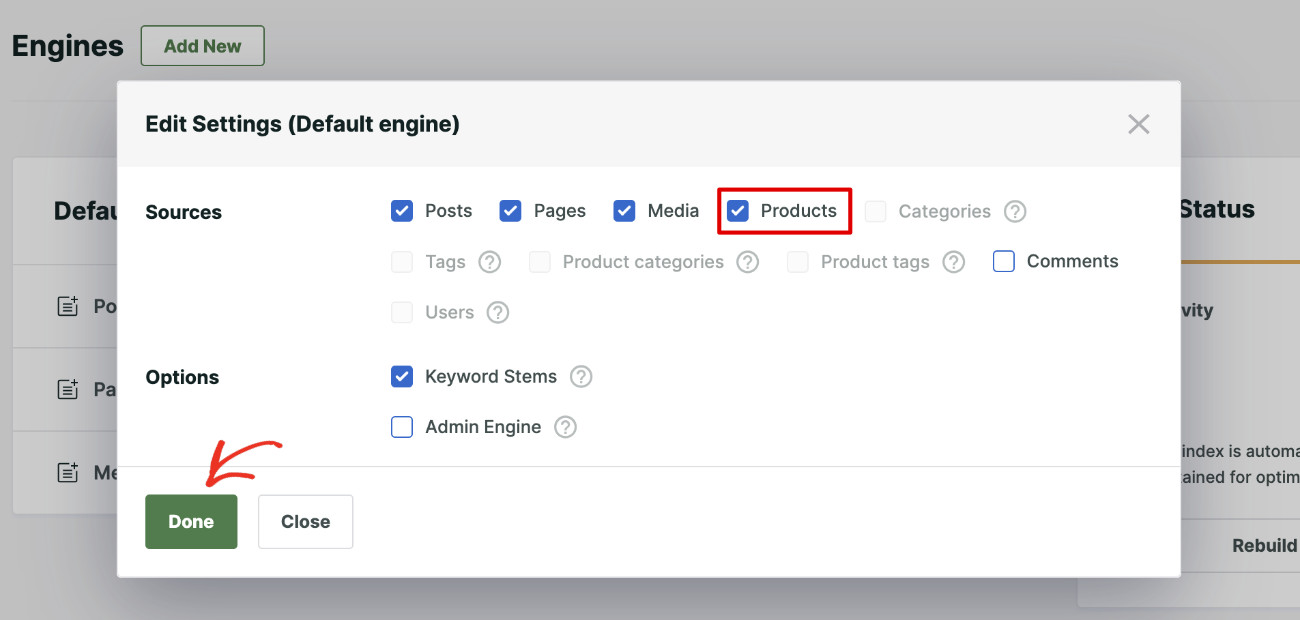
Once you’re done choosing your sources, click “Done.”
Next, expand the Products tab and click “Add/Remove Attributes.”
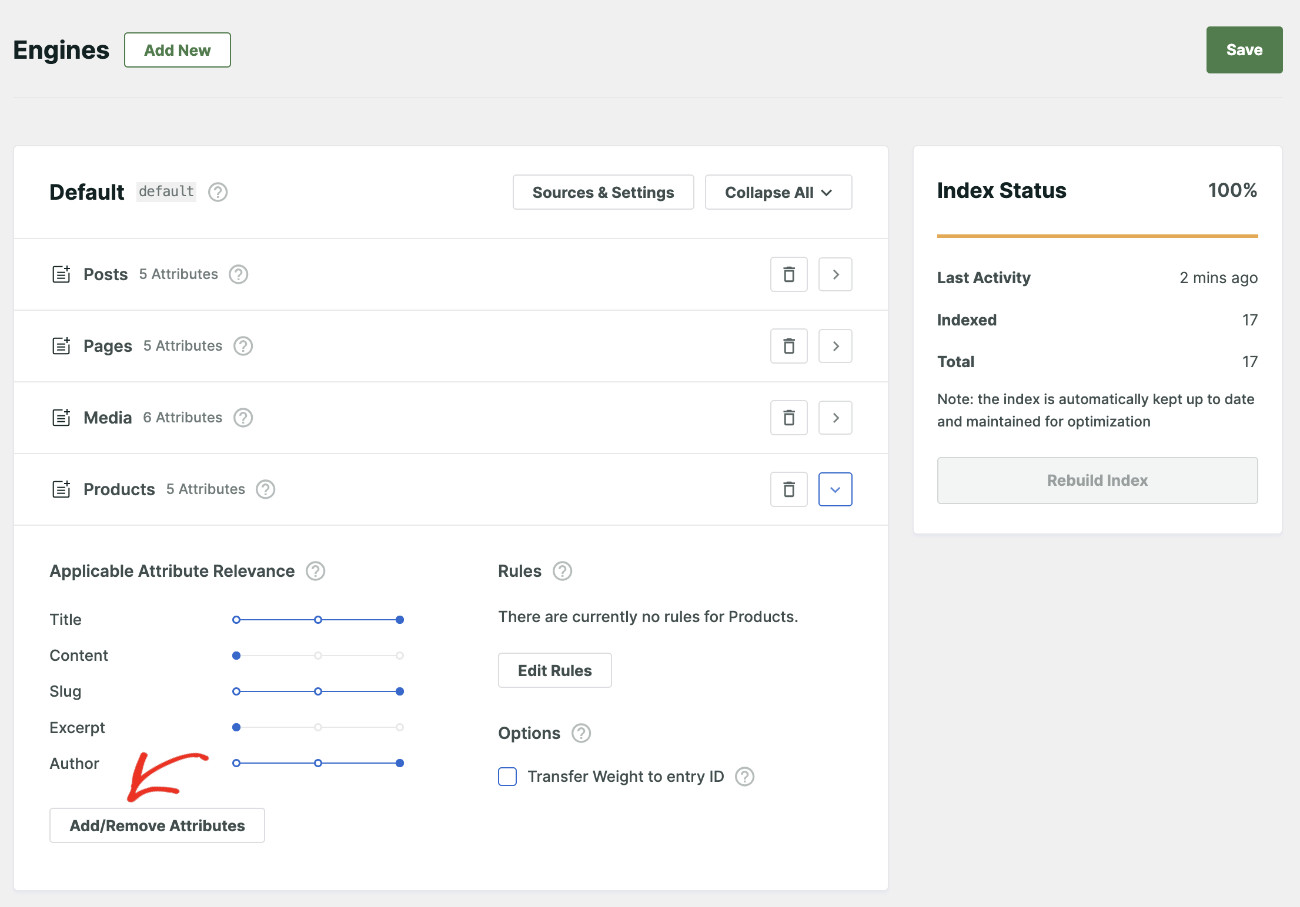
By default, SearchWP will look at the product title, content, slug, author, and excerpt for matches.
Since we’re limiting product search to product title only, you can just uncheck all other attributes except “Title.”
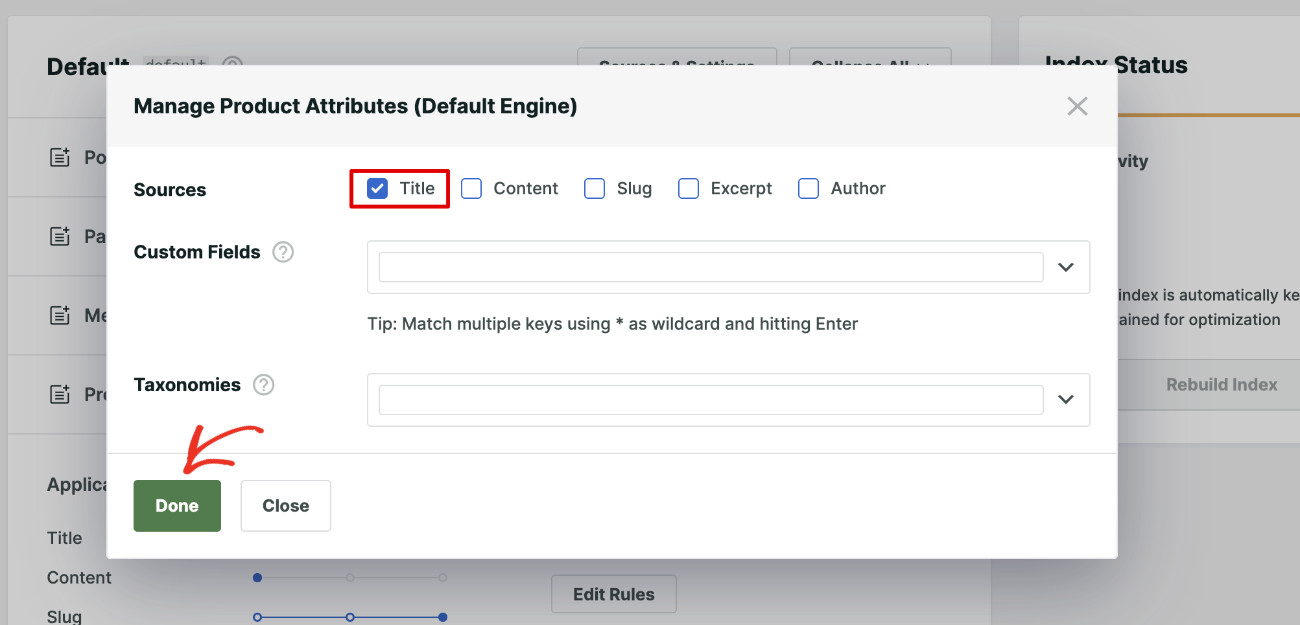
After that, click the Done button.
Next, you can scroll to the top of the page and click “Save” to apply the updated settings.
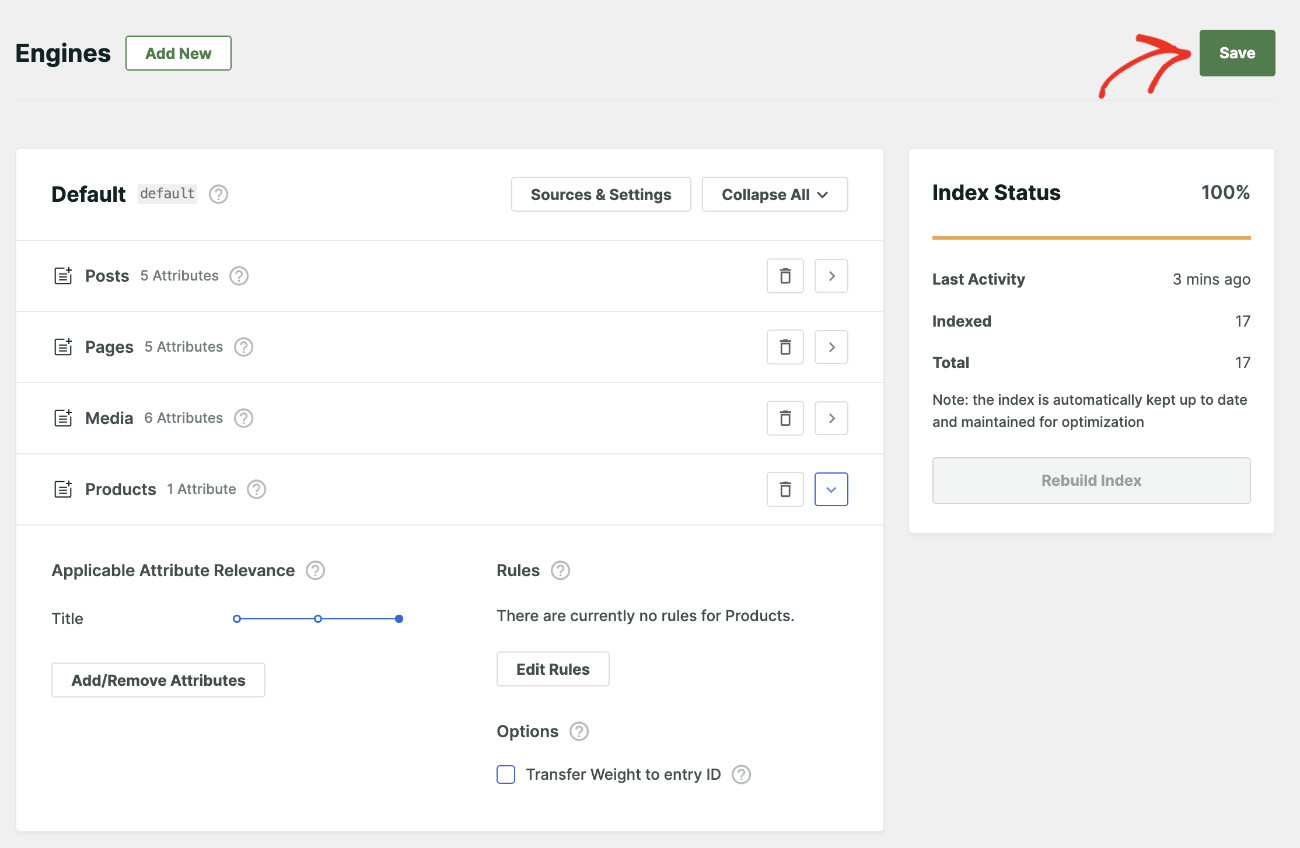
Now, when your visitors search for products, your store will restrict all the results to product titles only.
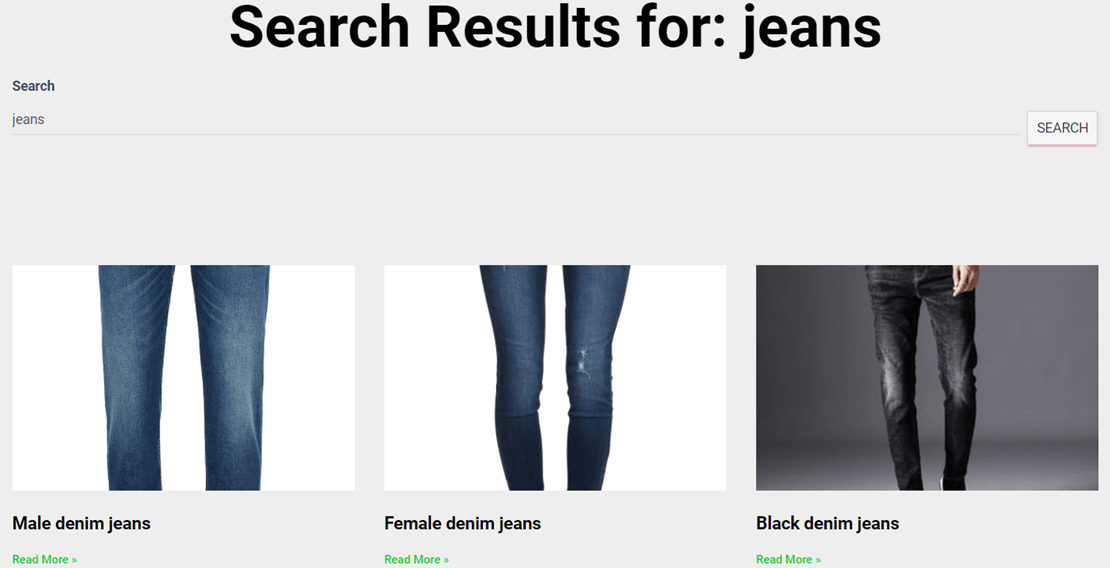
You can test this by visiting your WooCommerce store and type a specific product name into the search bar. The results should only show products whose names contain that term.
FAQs about Restricting WooCommerce Search to Title Only
1. What if I still want to search by SKU in addition to title?
You can. In the Add/Remove Attributes panel, keep Title selected and also add the SKU custom field from the Custom Fields dropdown. This gives you title plus SKU matching without pulling in the full product description.
2. Will this affect the WooCommerce built-in product search too?
SearchWP replaces the default WordPress search, so yes, the title-only setting will apply to your store’s search bar. Any widgets or forms using the default WordPress search will also be powered by SearchWP once it’s configured.
3. Can I apply this setting to a secondary search engine without changing my main search?
Yes. SearchWP supports multiple search engines. You can create a secondary engine configured for title-only search and assign it to a specific search form, leaving your main engine untouched.
4. What happens after I click Rebuild Index?
SearchWP scans all your WooCommerce products and builds a fresh index that only includes the product title field. Depending on how many products you have, this can take anywhere from a few seconds to a few minutes. The existing search will continue to work during the rebuild.
We hope this tutorial helped you learn how to restrict WooCommerce product search to title only in WordPress. You may also want to see our guides on how to limit search results to WooCommerce products only and how to make a smart WooCommerce product search.
Ready to give your customers a cleaner, more precise search experience? You can get started with SearchWP here.