


Out of the box, WordPress search is notoriously basic. For sites relying on complex data structures, custom taxonomies, and advanced custom fields, relying on the native search query is a massive bottleneck.
When it comes to replacing it, two heavyweights dominate the conversation: SearchWP and Relevanssi.
Both plugins promise to completely overhaul your search experience, digging deep into your custom post types and delivering the highly accurate results your users expect.
But under the hood, they take very different approaches to indexing, algorithm control, and performance.
In this article, we’ll compare them to help you find the right fit for your site and give your visitors the best search experience.
Here’s a quick look at SearchWP vs Relevanssi, so you can pick the best solution:
| Category | SearchWP ⭐ | Relevanssi |
|---|---|---|
| Core Features | ||
| Theme Integration | ✔ Supports all themes & page builders | ✘ Limited compatibility with some themes |
| Custom Fields & PDF Indexing | ✔ Easy setup | ✔ PDFs require extra configuration |
| Fuzzy Search & Voice Search | ✔ Searches for partial matches for typos. | ✘ Not available |
| WooCommerce Integration | ✔ Seamless, automatic integration | ✘ Not available |
| Ease of Use | ||
| Setup & Interface | ✔ Setup wizard, beginner-friendly | ✘ No wizard. Better suited for advanced users |
| Customer Support | ||
| Support Channels | Ticket system, live chat, and docs | Contact form + WordPress.org forum |
| Pricing | ||
| Free Version | ✘ No free version | ✔ Available |
| Starting Price | $99/yr — 1 site | $119.61/yr — unlimited sites |
Overview
To begin with, let’s take a quick overview of 2 WordPress search plugins we’re comparing today.
SearchWP

SearchWP is the most powerful and easiest to use WordPress search plugin on the market.
It comes with tons of useful features and allows you to get complete control over how search works on your site.
Using it, you can create custom search forms, impact search results order, track searches of your visitors, and more.
This plugin also has a huge extension base, extending its search functionality. You can install extensions right from your WordPress dashboard.
More than 50,000 WordPress site owners already use SearchWP to give their visitors the most relevant search results.
Here’s what they say about their experience with this plugin:
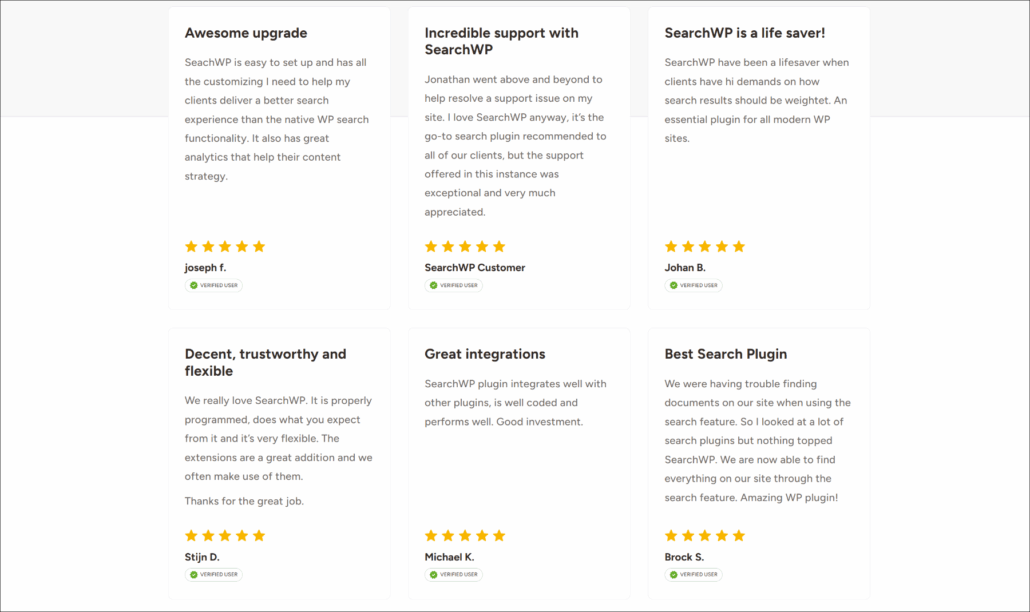
Given the number of features and reviews of satisfied users, SearchWP deservedly holds the title of the #1 WordPress search plugin.
Relevanssi
Relevanssi is another WordPress search plugin that helps you to make searches on your site better.
For example, like SearchWP, it allows you to make searchable PDF files, custom fields, custom post types, and more.
Relevanssi has 100,000+ active installations and comes in free and paid versions that differ in functionality.
Even though this plugin isn’t as powerful as SearchWP, it’s still a good option if you want to make search on your WordPress site a bit smarter.
Features
Now that you know both plugins better, let’s take a closer look at some of their features.
1. SearchWP
SearchWP has many features that you can use to deliver more relevant search results to your site’s audience.
Automatic Theme Integration
After you install SearchWP, it automatically integrates with your existing search forms and search results template.
That’s super convenient and ensures instant on-site search improvement.
The best thing is that there is no difference between using a custom theme or one of the default WordPress themes.
You don’t have to write a single line of code to replace your current search fields with new smart ones. SearchWP perfectly works with any theme out-of-the-box.
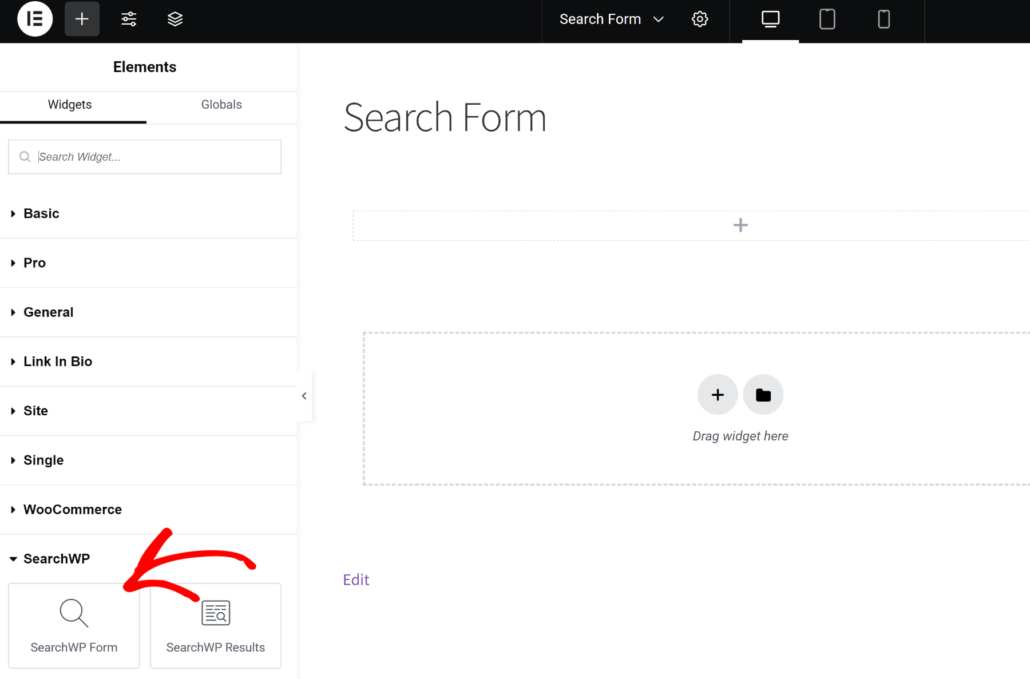
Besides that, it supports some of the most popular website theme builders like Elementor, Divi, Oxygen, WPBakery, and more.
You get dedicated blocks or elements for these landing page builders, which makes it super easy to display your search form anywhere on your site.
Multiple Search Engines and Custom Search Forms
Using SearchWP, you can control how search works on your site and manage specific search fields’ behavior.
That’s possible because SearchWP allows you to add and use multiple search engines on your WordPress site.
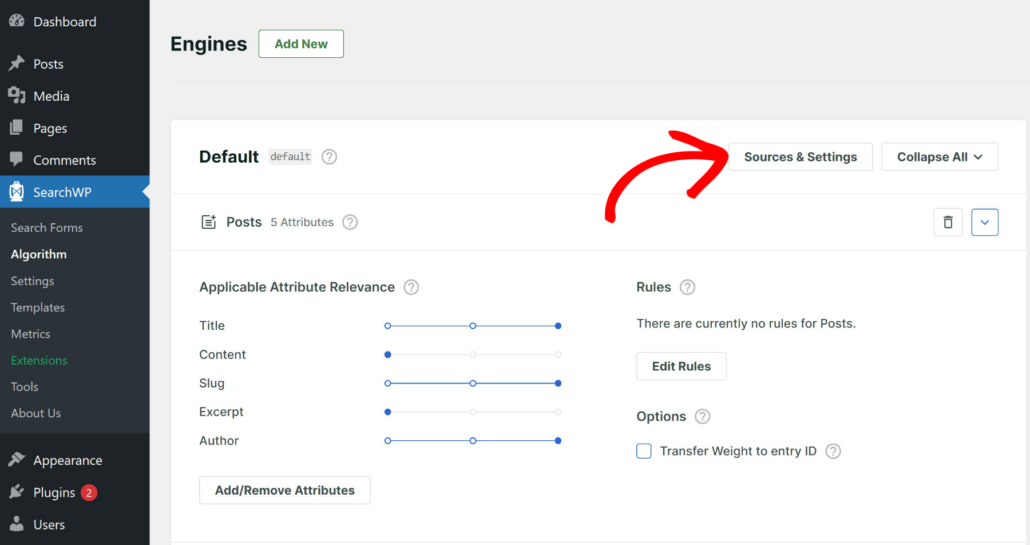
You can fully customize a search engine to meet your needs and then link it to a specific search field on your site.
For instance, SearchWP lets you add multiple sources to the engine. You can include products, documents, downloads, and other sources in the search process.
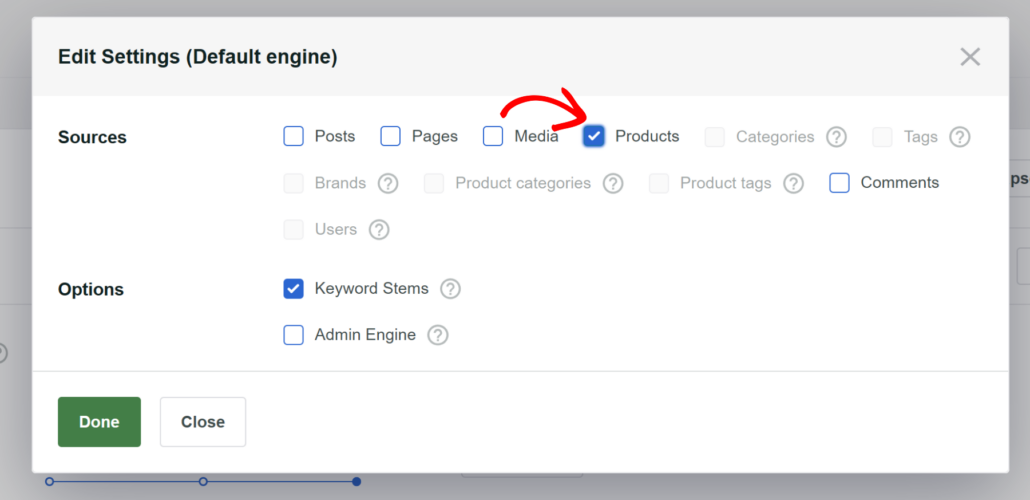
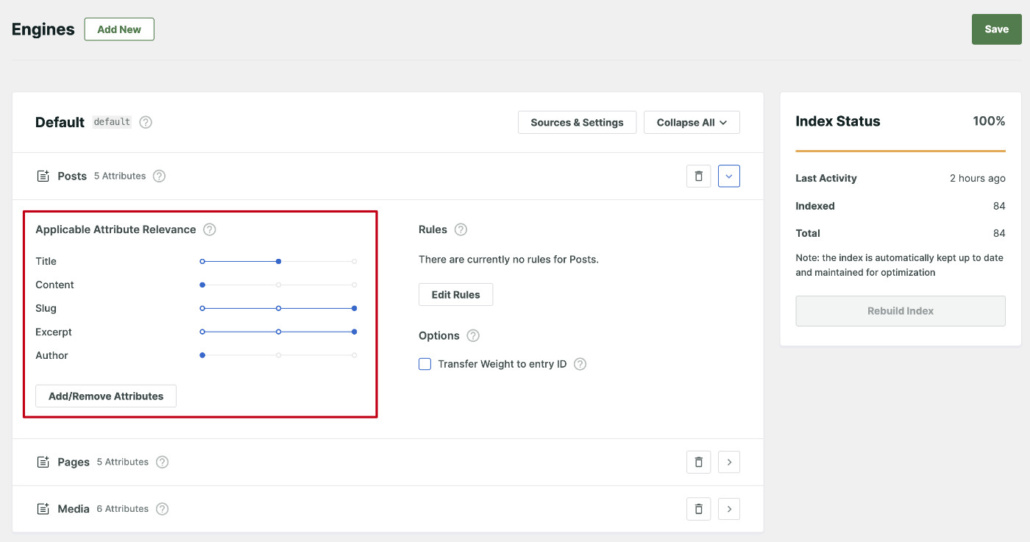
Besides that, you can limit a search field to specific post types, adjust the relevance weight of search attributes, and more.
This SearchWP feature can help your visitors find the content they’re looking for faster.
Make Anything on Your Site Searchable
By default, WordPress ignores a lot of valuable information when performing a search.
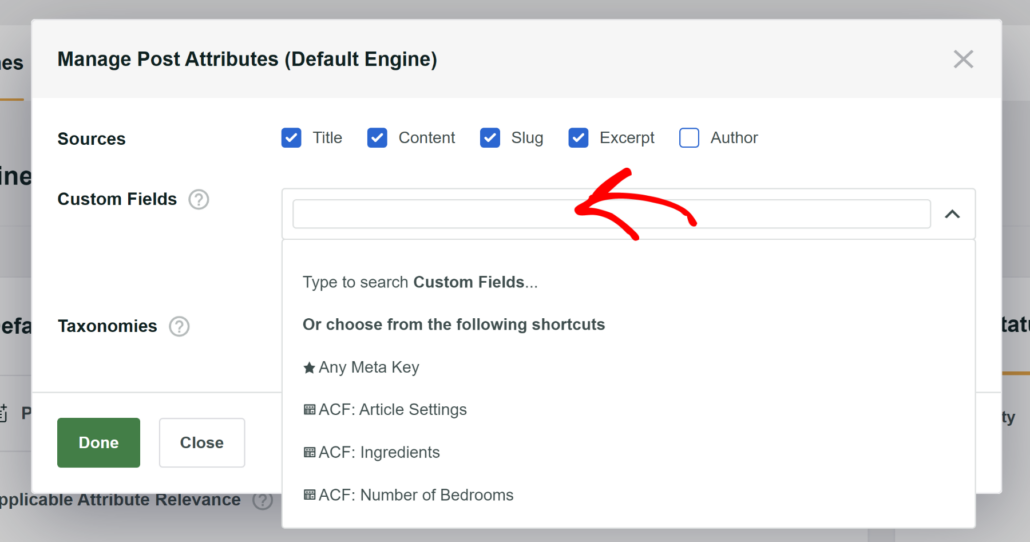
For example, it doesn’t consider any data within custom fields. That’s a huge disadvantage, as data inside these fields can make it much easier to find the right content.
Using SearchWP, you can make custom fields searchable on your site in a few clicks.
In addition, the native WordPress search engine doesn’t index text within PDF files and office documents.
With SearchWP, you can include these files in search results on your site by ticking a couple of checkboxes.
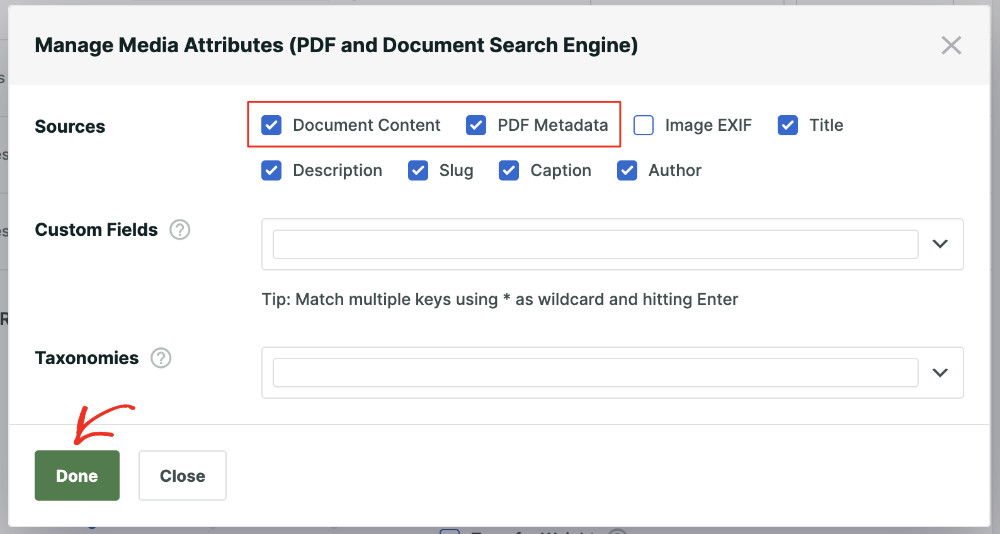
This way, visitors can find documents that you upload to your site using a search bar.
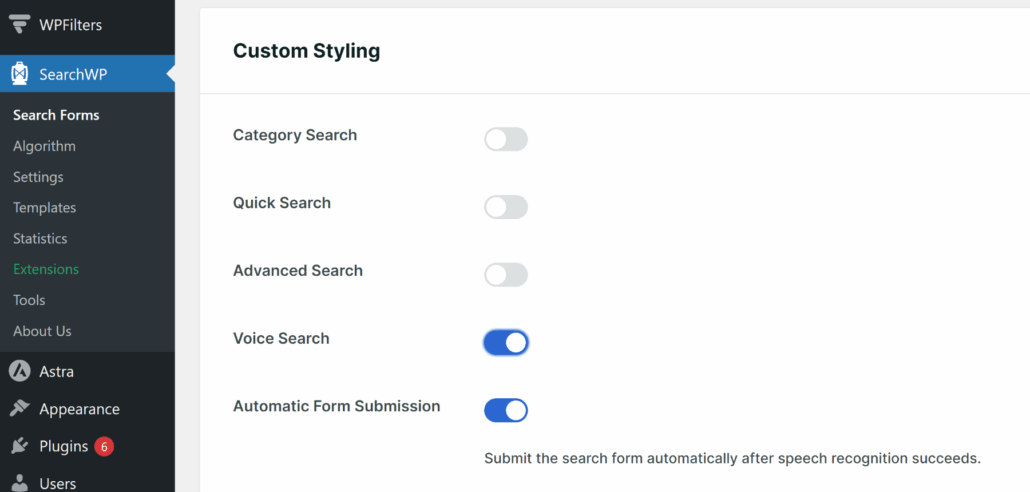
Voice Search
With SearchWP, you can now take the search experience to the next level using its Voice Search feature.
Simply enable the option in your search forms, and the microphone icon will appear in the search bar.
This allows your visitors to speak the search query, and it will automatically fill in the search bar.
Search Results Order Customization
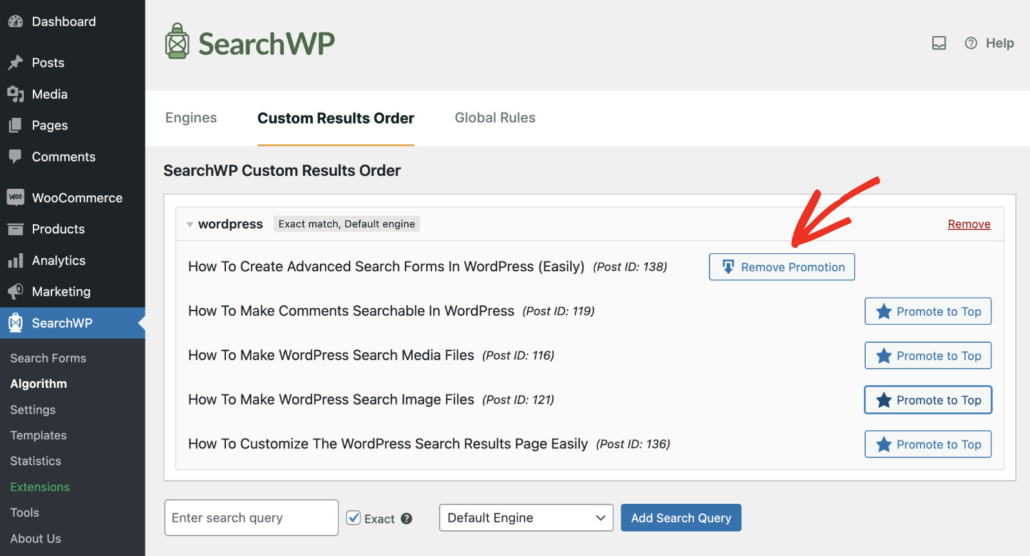
Would you like to change the order of the search results on your site? WordPress doesn’t have such a feature by default.
But with SearchWP, you can put any page at the top of the search results on your site with a couple of clicks.
Plus, SearchWP allows you to easily exclude any redundant pages from search results on your site.
All you need to do is open a page you’d like to hide from search results and then tick the ‘corresponding ‘Exclude from SearchWP’ checkbox.
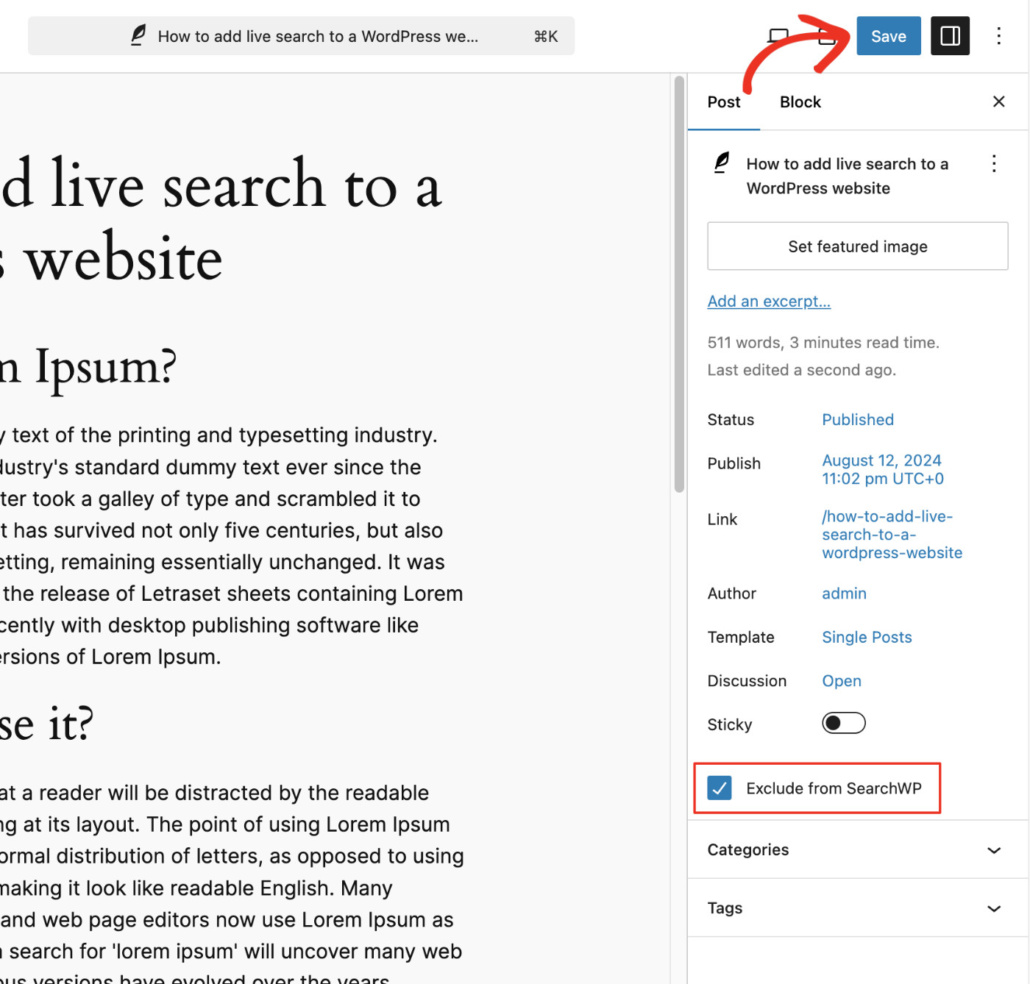
This way, you can clean up your search results and help visitors navigate your site more easily.
Fuzzy Search
The default WordPress search engine only searches for exact matches.
If your visitors make a typo, there is a great chance that they won’t find anything relevant on your site.
Thankfully, you can solve this problem by enabling the fuzzy search feature in the SearchWP settings.
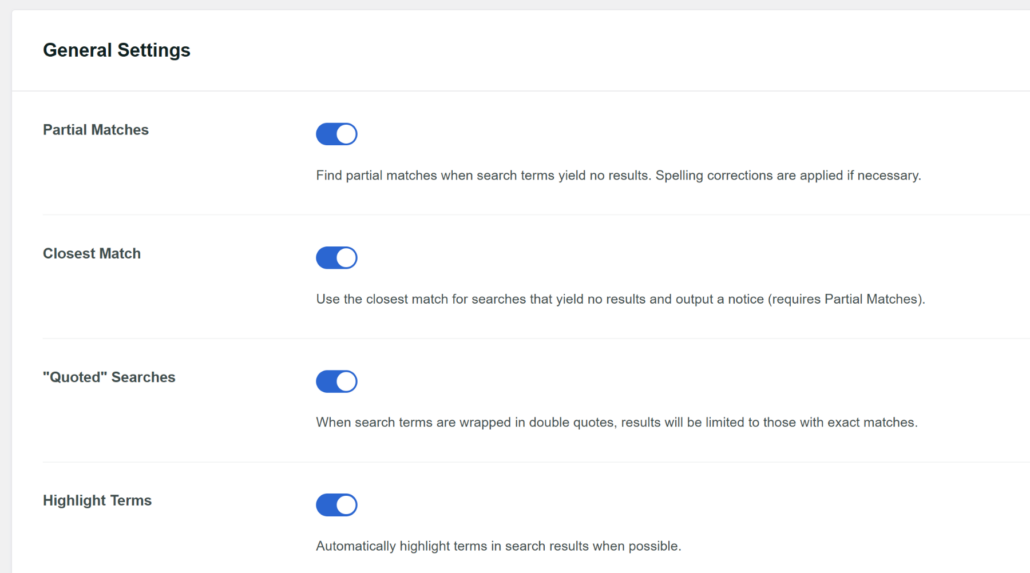
WordPress searches for partial matches when search terms show no results when you turn on this feature.
WooCommerce Integration
Are you an eCommerce site owner? Then there is great news for you.
SearchWP has seamless integration with WooCommerce, the most popular WordPress eCommerce plugin.
Using SearchWP, you can make WordPress search for product attributes, start considering product tags, categories, and more.
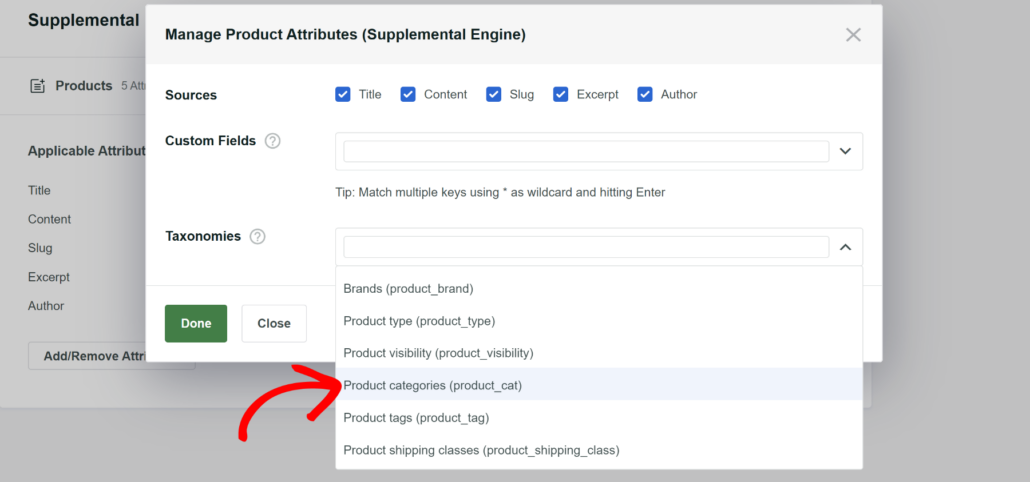
The best thing is that you don’t need to take any additional steps. SearchWP automatically integrates with your online shop after its installation.
2. Relevanssi
Relevanssi also has some nice features that can help you to power up search on your WordPress website.
Automatic Theme Integration
First, this plugin has automatic theme integration, just like SearchWP.
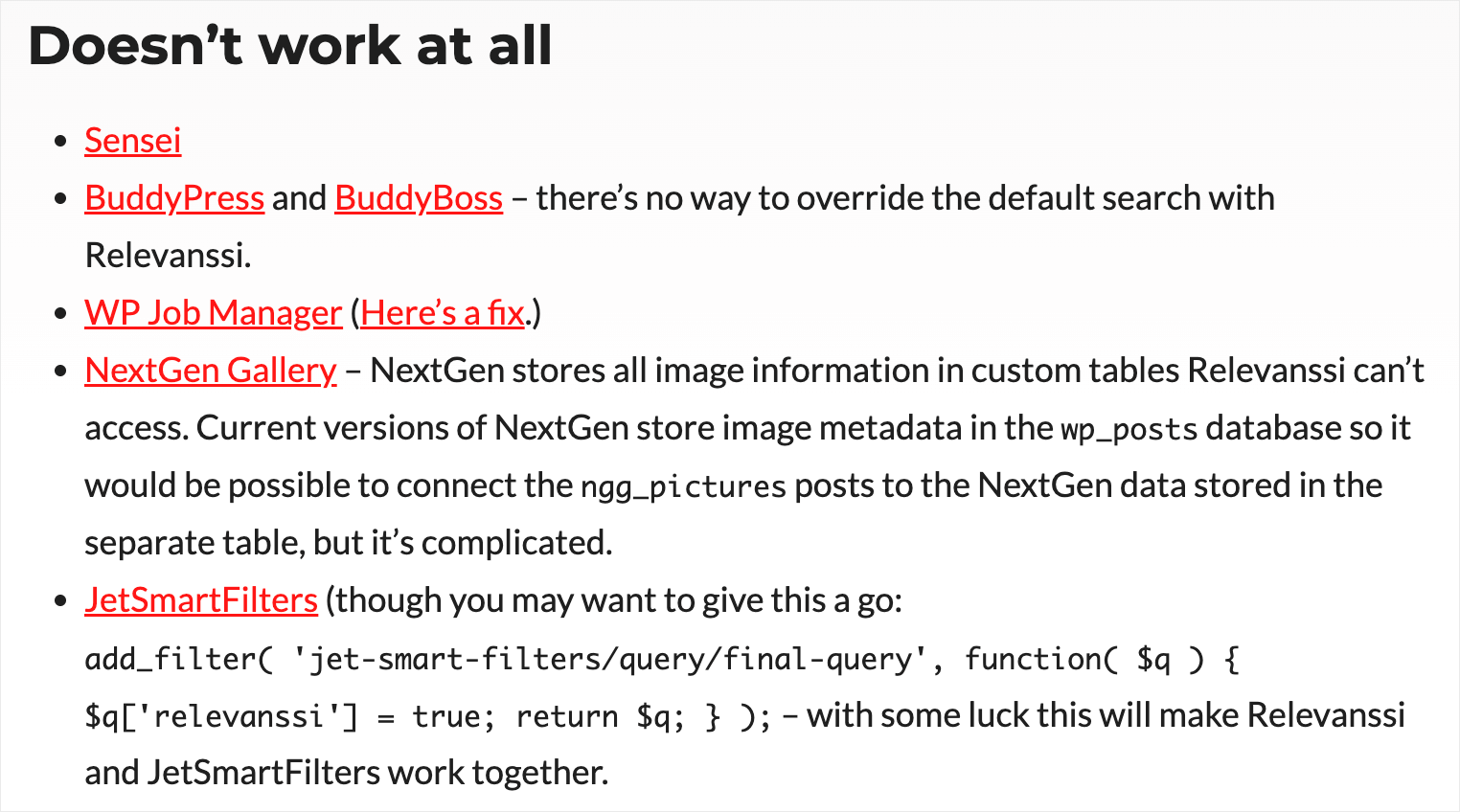
But there is one notable difference. Relevanssi has either limited compatibility or doesn’t work at all with some popular WordPress themes and plugins.
Better Control Over Search Results
Like SearchWP, Relevanssi allows you to enrich search results on your site.
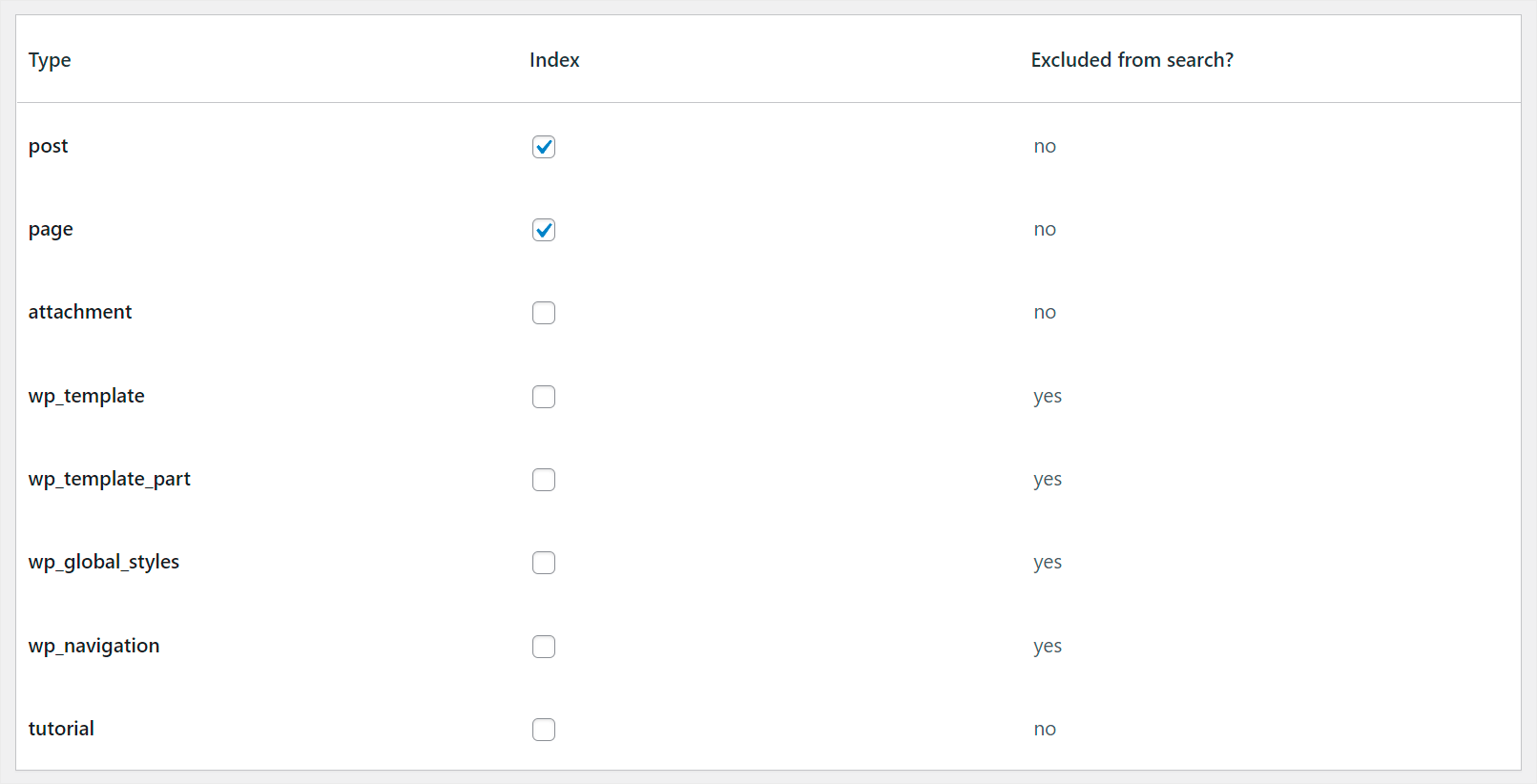
First, you can control what types of content WordPress indexes and shows in search results with this plugin.
Also, with Relevanssi, you can adjust the weight of relevancy multipliers.
This way, you can control what parts of posts or pages WordPress will prioritize when performing a search.
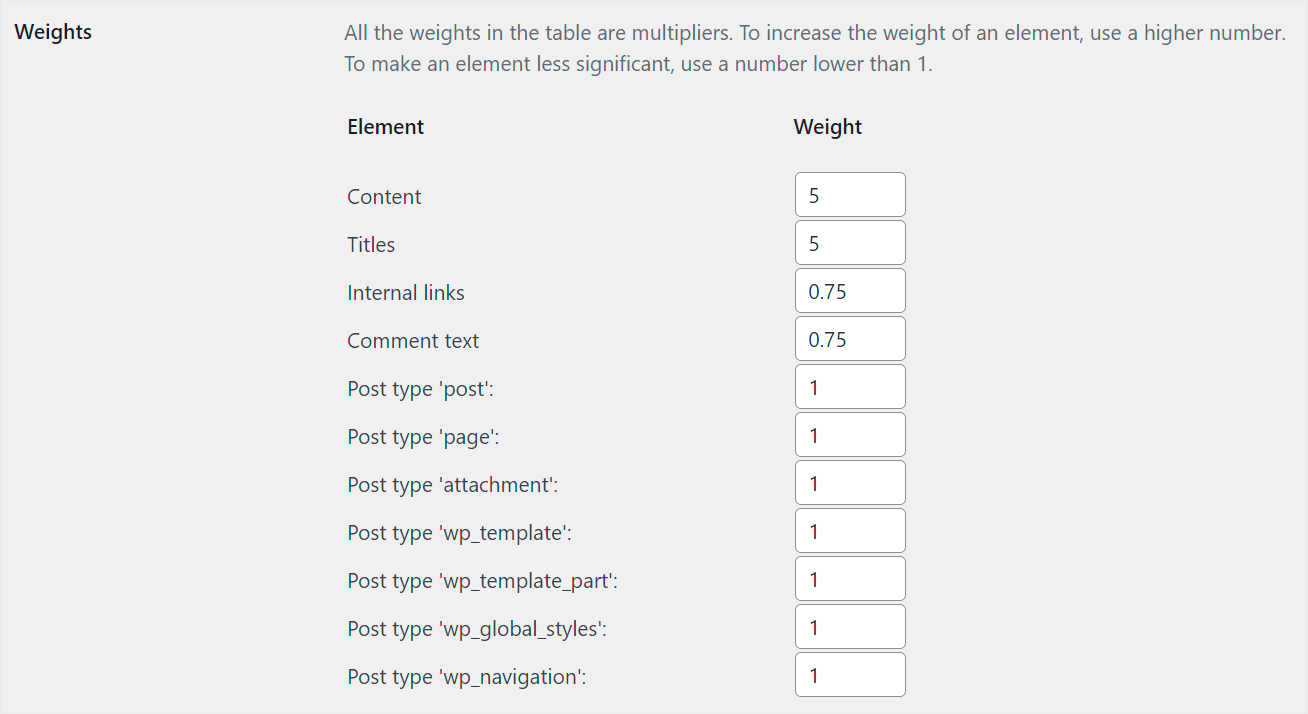
For example, it might be a title, content, excerpt, or something else.
In addition, using Relevanssi, you can exclude specific categories or posts from search results.
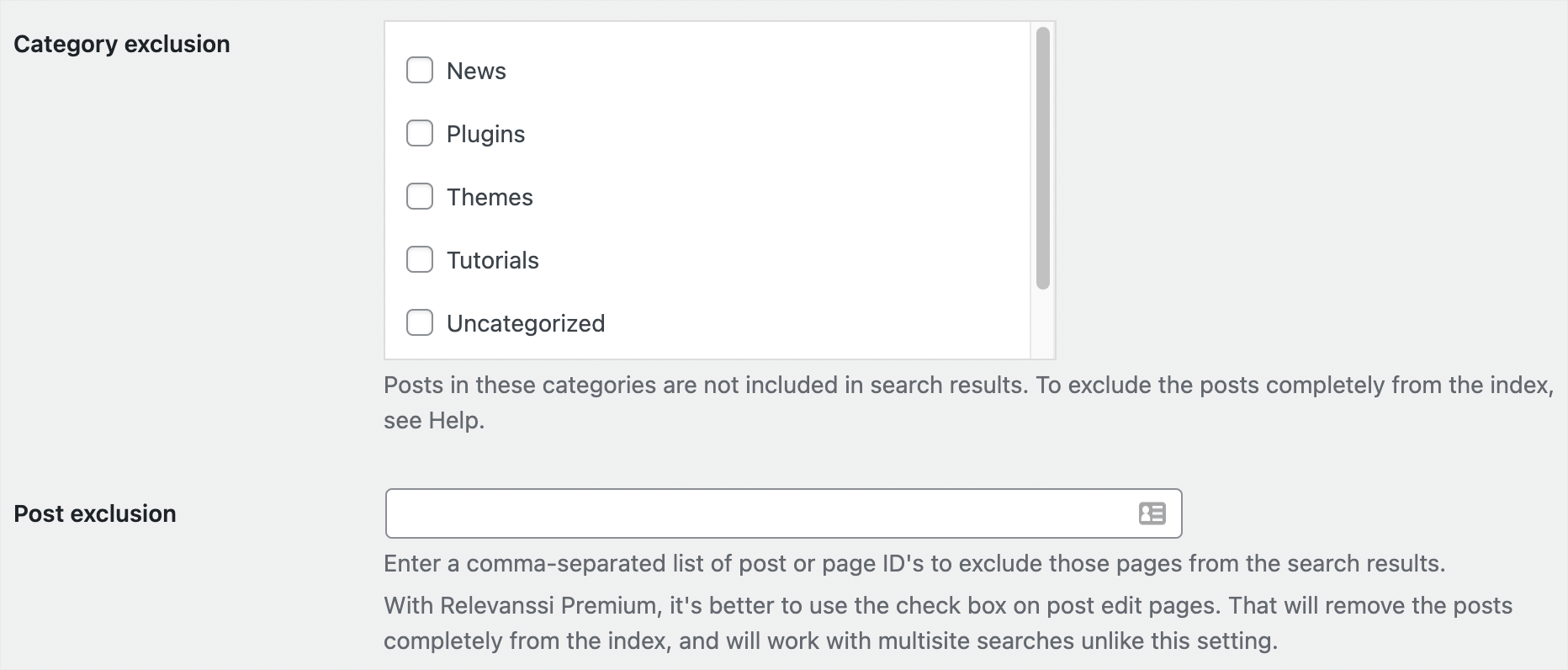
But that’s not as easy and quick to do as with SearchWP. Since Relevanssi divides the indexing and searching options into 2 different tabs, this may seem confusing to WordPress newbies.
In general, Relevanssi offers all the basic features for search control, but lacks the advanced features you’d find in SearchWP.
Multisite Support
You can install Relevanssi as a network plugin if you have multiple sites.
This way, you can combine your sites into one network and perform searches across them at once.
It’ll save time for your visitors and make it easier for them to find what they’re looking for since they won’t have to switch between your sites.
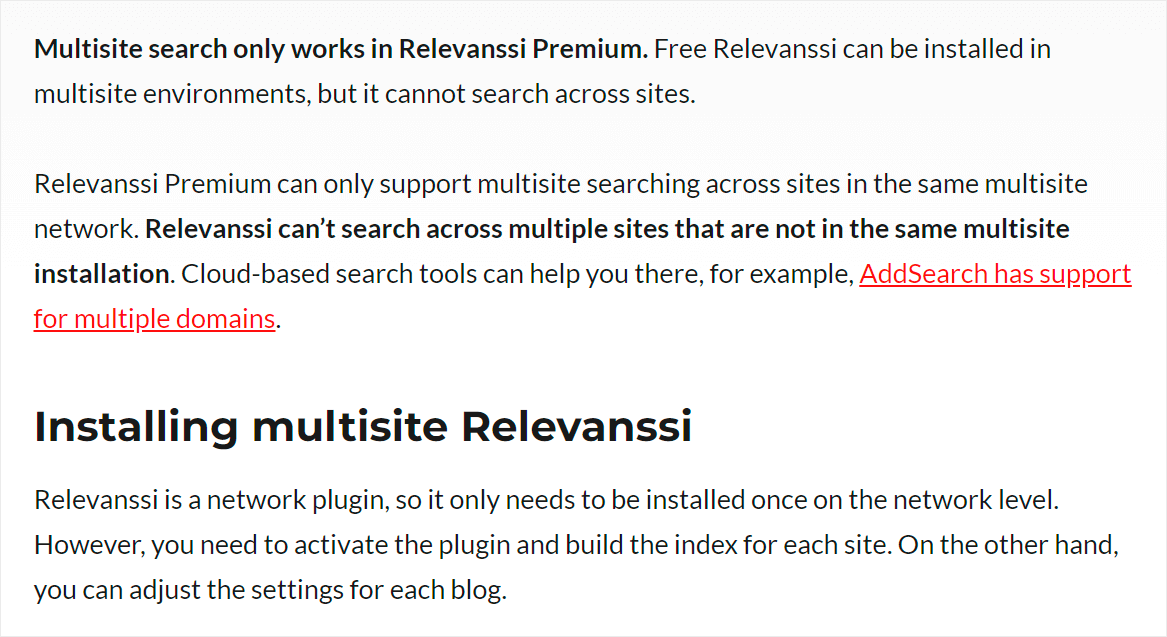
Sadly, the network mode has several disadvantages. First, some Relevanssi features won’t work in multisite mode, such as filtering methods.
In addition, if your network contains too many sites, there is a good chance that you’ll face performance issues.
PDFs indexing
Just like SearchWP, Relevanssi allows you to make PDF files searchable in WordPress.
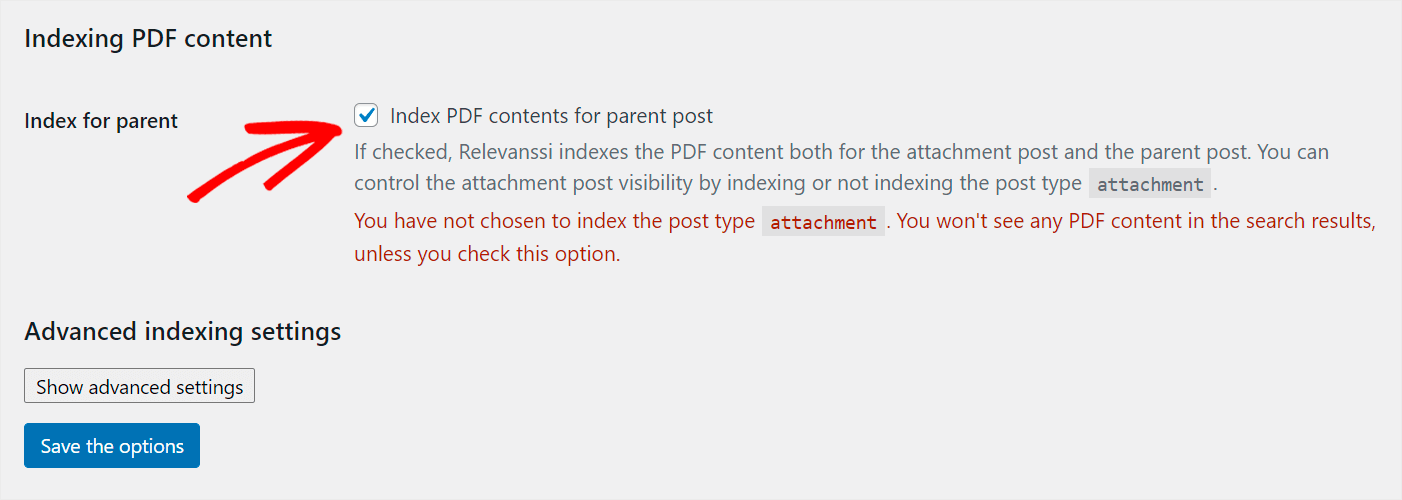
But, there are some plugin restrictions. For example, Relevanssi can’t see PDF files that don’t contain any text.
So if you upload PDFs that consist only of images, they won’t be searchable on your site.
Plus, Relevanssi considers PDF files as post attachments. It means that to make them searchable, you first need to enable attachment indexing.
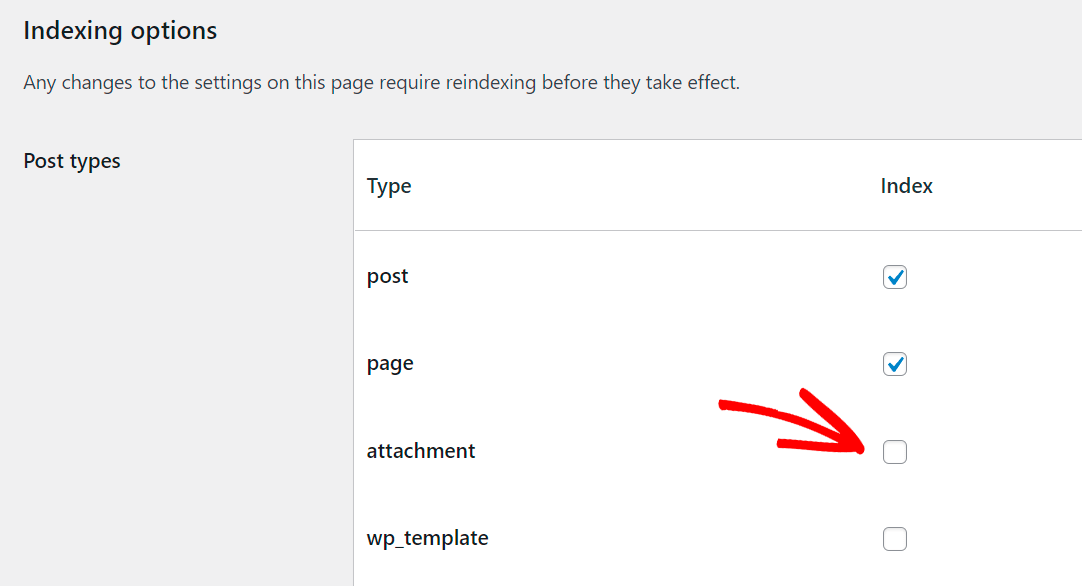
It’s not easy to figure out, not to mention that this option is turned off by default.
That’s confusing for beginners and makes the process of setting up PDF indexing with Relevanssi a little bit more complicated.
bbPress Integration
Do you have a forum on your site? If yes, then Relevanssi works with bbPress, the popular forum software from the WordPress creators.
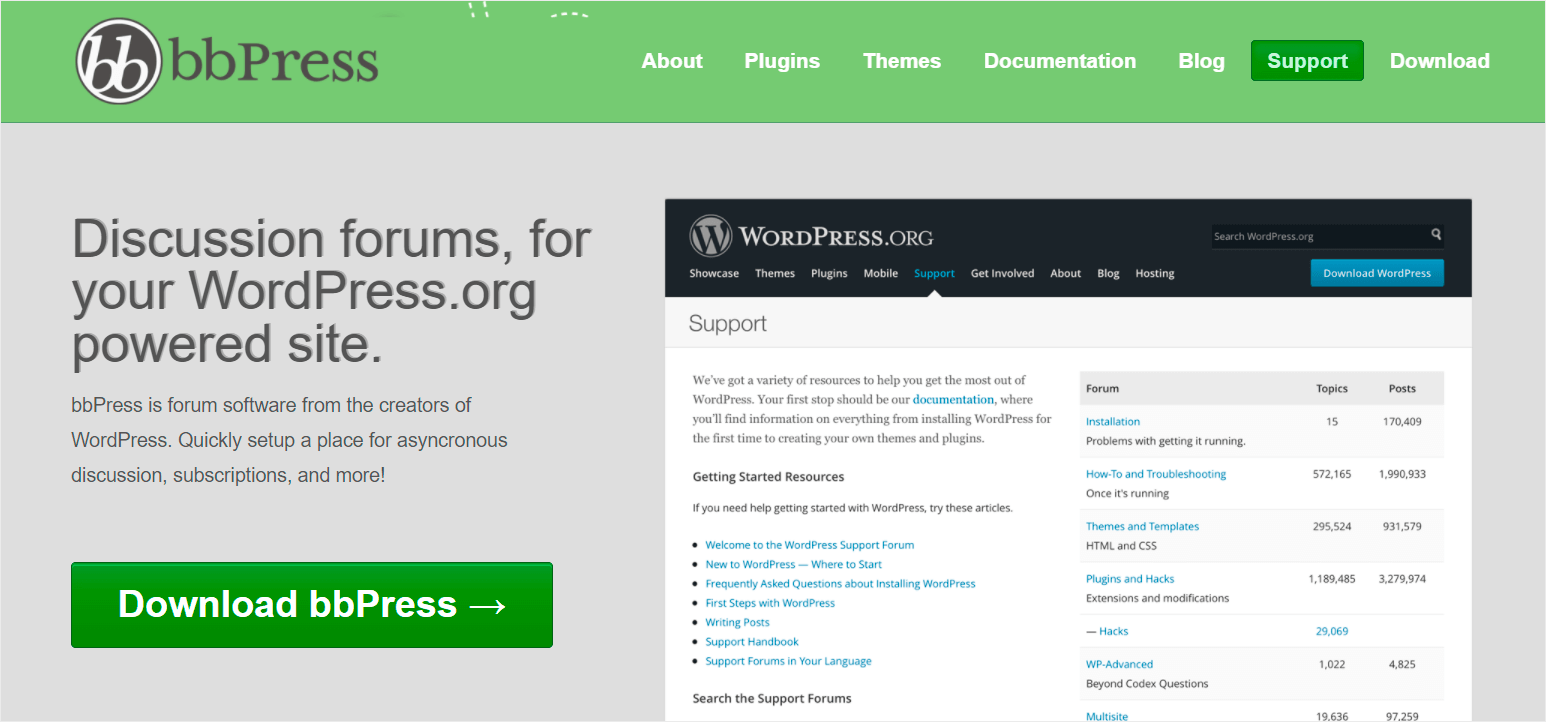
With Relevanssi, you can make WordPress index your forum messages. This way, your visitors can find them using a search.
That makes it much easier to explore your forum and helps visitors find the information they need faster.
Search Tracking
Like SearchWP, Relevanssi allows you to track search queries of your visitors.
Sadly, this feature has several major drawbacks.
First, you may have a hard time figuring out how to turn it on because of Relevanssi’s cluttered interface.
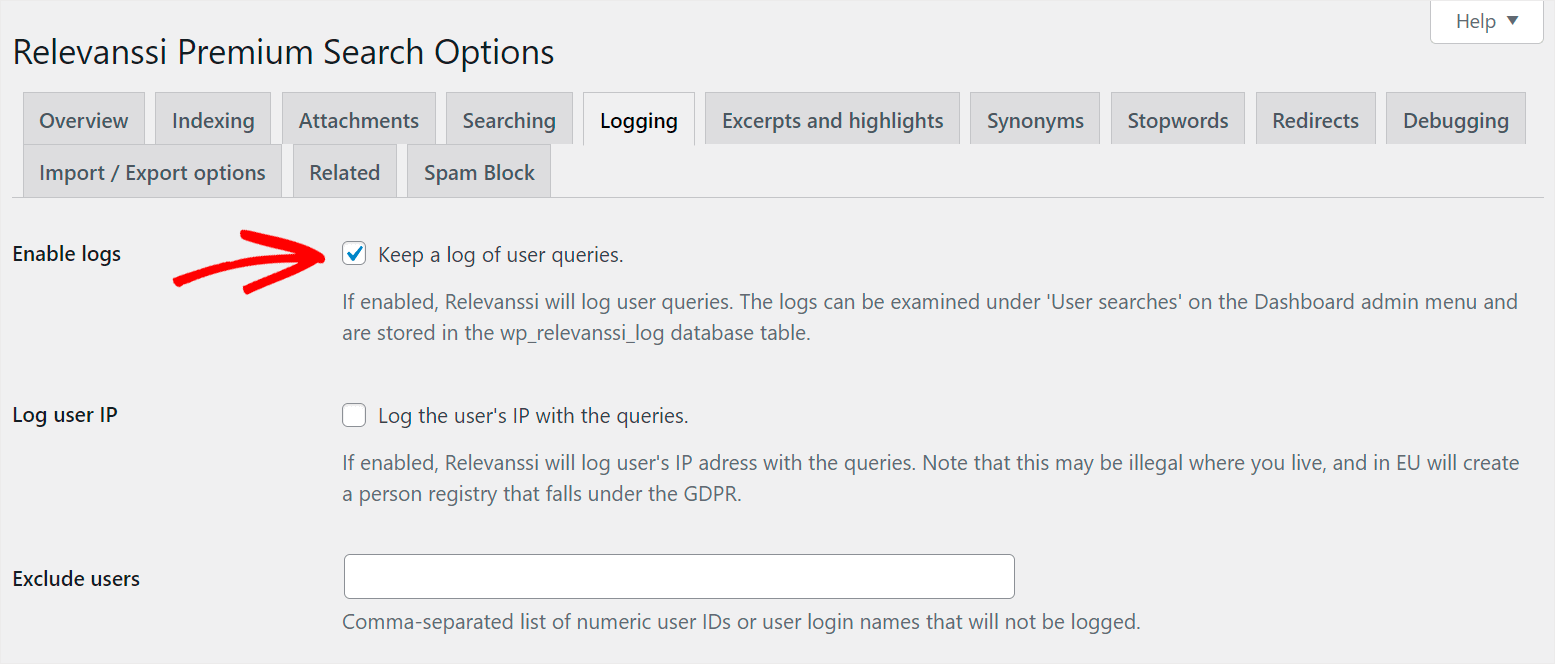
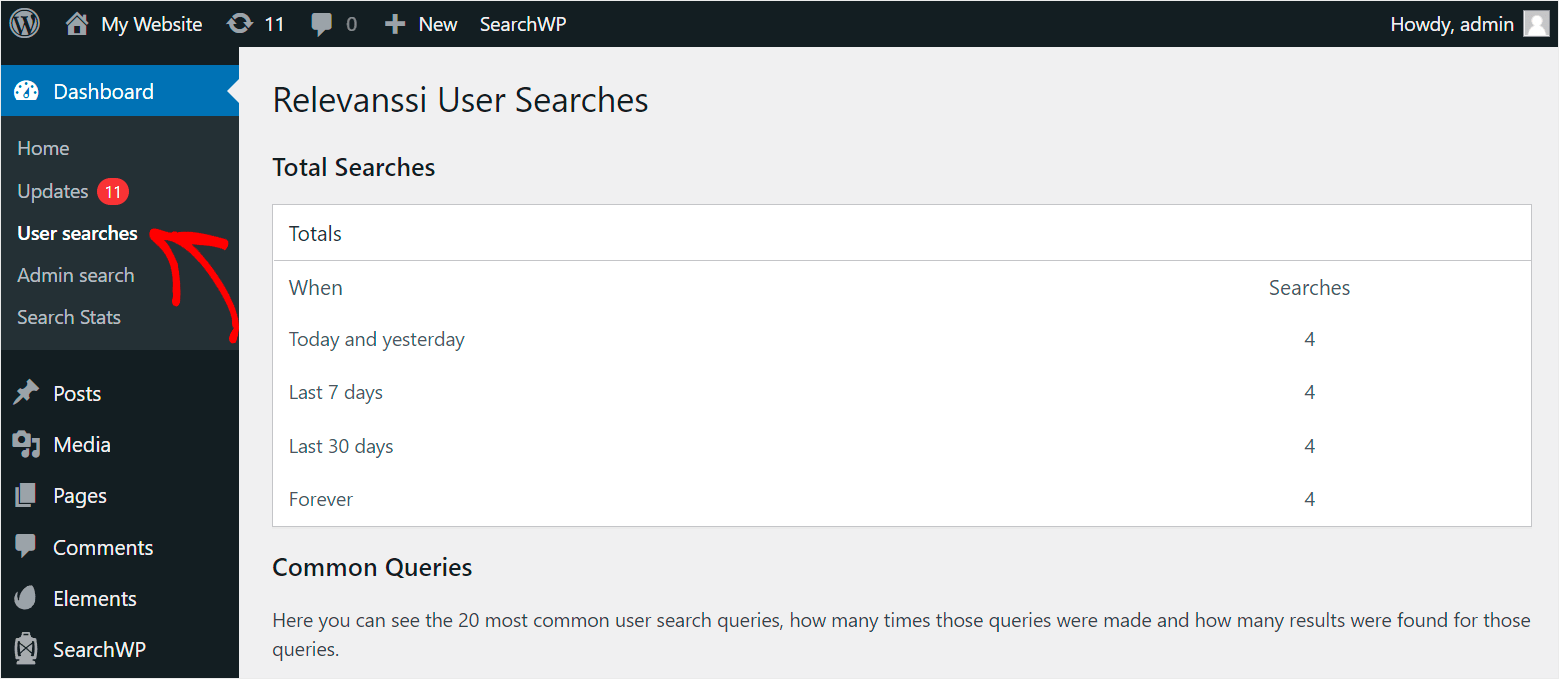
Secondly, the tab where you can see the collected search queries is located outside the Relevanssi interface.
It’s confusing and can cause problems for newbies.
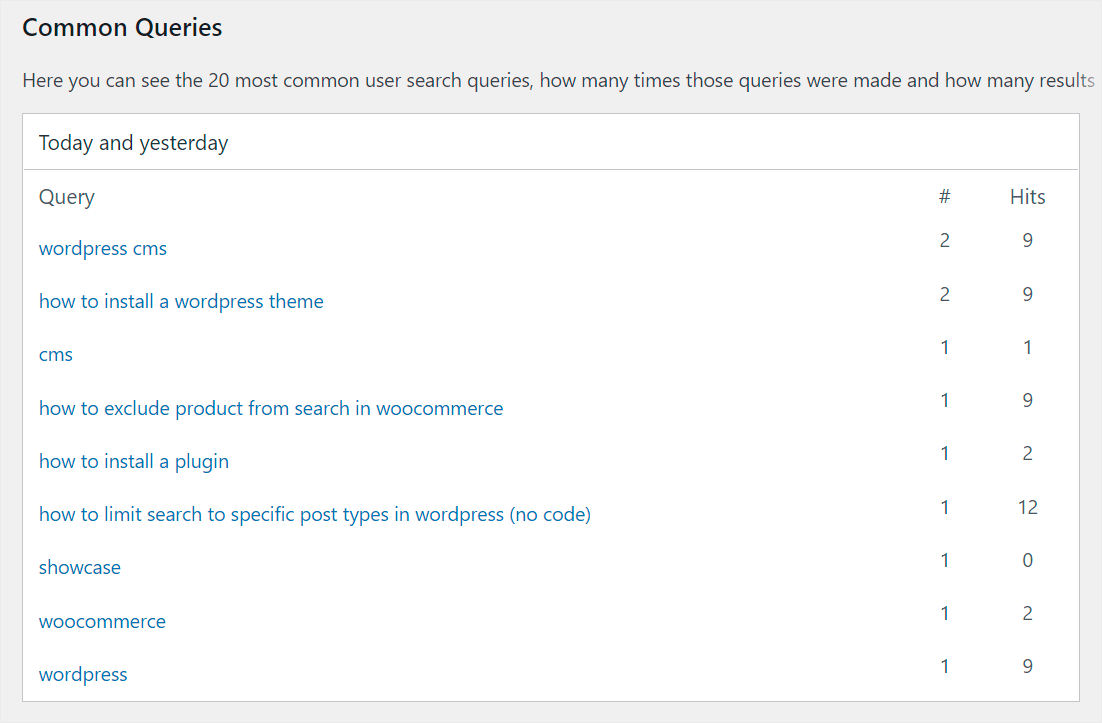
And finally, this plugin gives you a rather limited amount of information.
You can only see the list of search queries and the number of searches and hits.
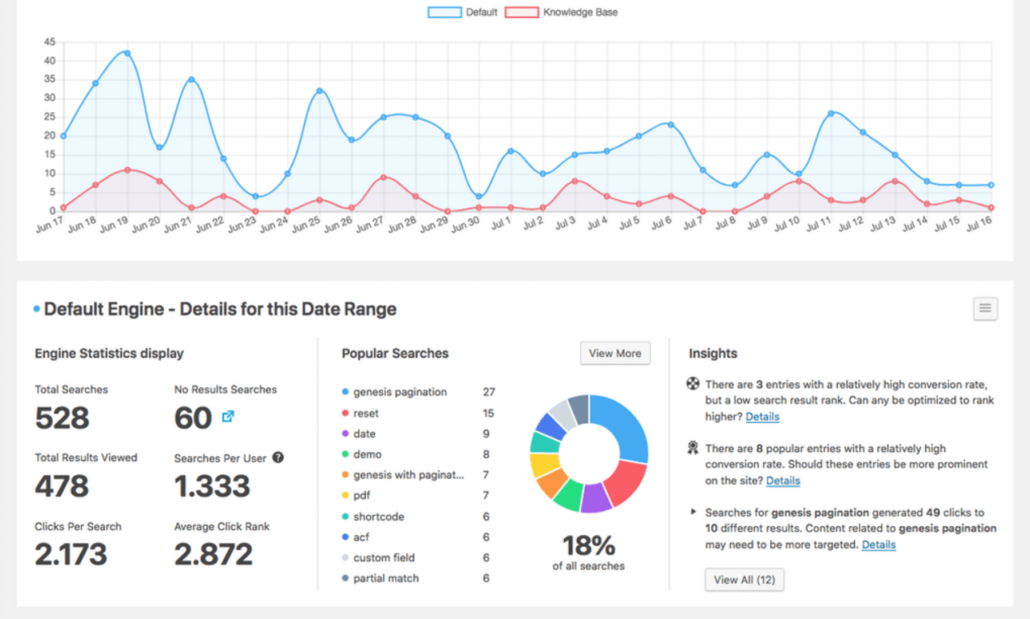
On the other hand, the SearchWP metrics extension allows you to start tracking visitors’ searches immediately after installation.
It also gives you additional useful information such as total results viewed, number of searches per user, and more.
Ease of Use
One of the most important things for every plugin is how easy it is to set up and use. Let’s take a look at the comparison of SearchWP and Relevanssi in this field.
SearchWP
Customizing the way search works on your site is super easy with SearchWP.
This plugin comes with a beginner-friendly and clean user interface that you can access using your WordPress dashboard.
So, you can effortlessly set up SearchWP for your needs, even if you’re not a tech-savvy person. The best part is that it comes with a setup wizard that guide every step of the way after installation.
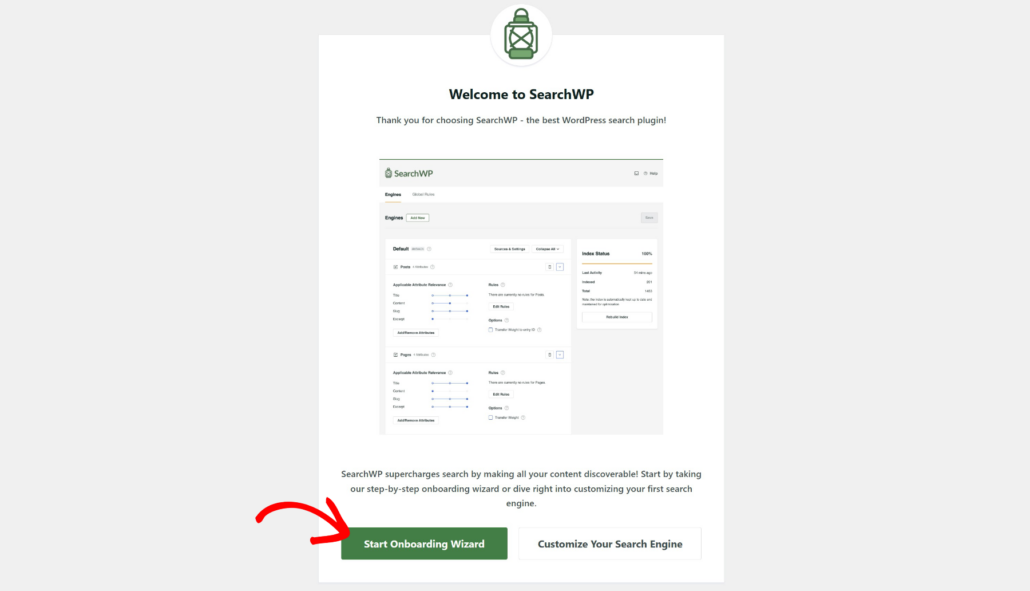
Besides that, SearchWP makes it super simple to customize the search engine on your site.
Here you can manage your default search engines or add new ones with SearchWP and customize them.
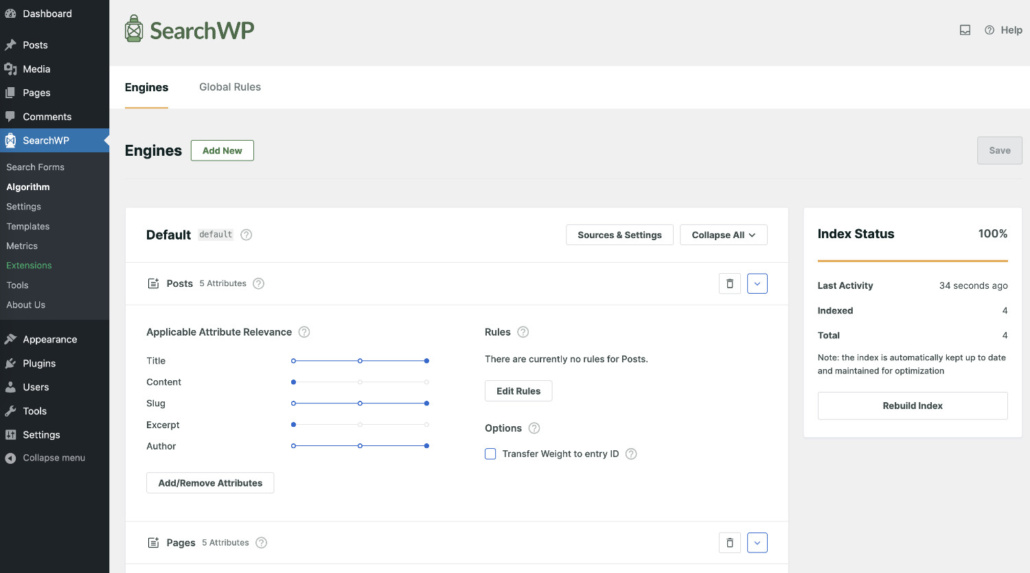
The process of search engine customization is intuitive and straightforward.
And if you come across any difficulties, you can check out the comprehensive SearchWP knowledge base and blog section for step-by-step guides.
Plus, on the Extensions page, you can find useful SearchWP extensions that further expand its functionality.
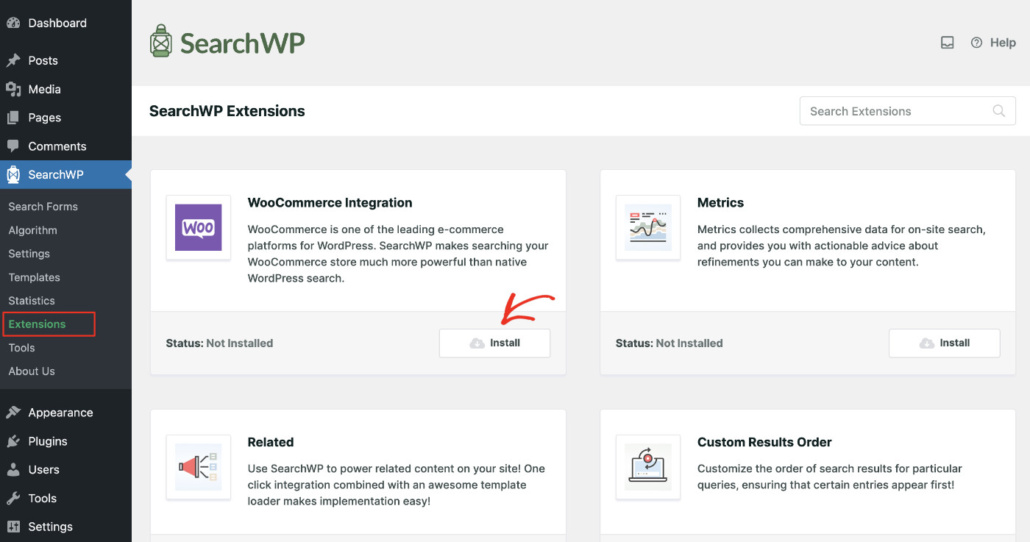
For instance, you can install the Metrics extension to track your visitors’ searches or add a search box to your post with the Shortcodes extension.
The best part is that you can install extensions with a single click without leaving the WordPress dashboard.
SearchWP successfully combines powerful features with an easy-to-use user interface, making it suitable for both experts and newbies.
Relevanssi
Unlike SearchWP, the Relevanssi dashboard looks overloaded, and it might be challenging to figure out how to use the plugin.
You can find a brief “Getting started” guide on the Overview tab of the plugin dashboard.
But to follow it, you need to understand how search works in WordPress, which isn’t suitable for beginners.
While testing, we found that you won’t find a setup wizard to help you configure the plugin on your site.
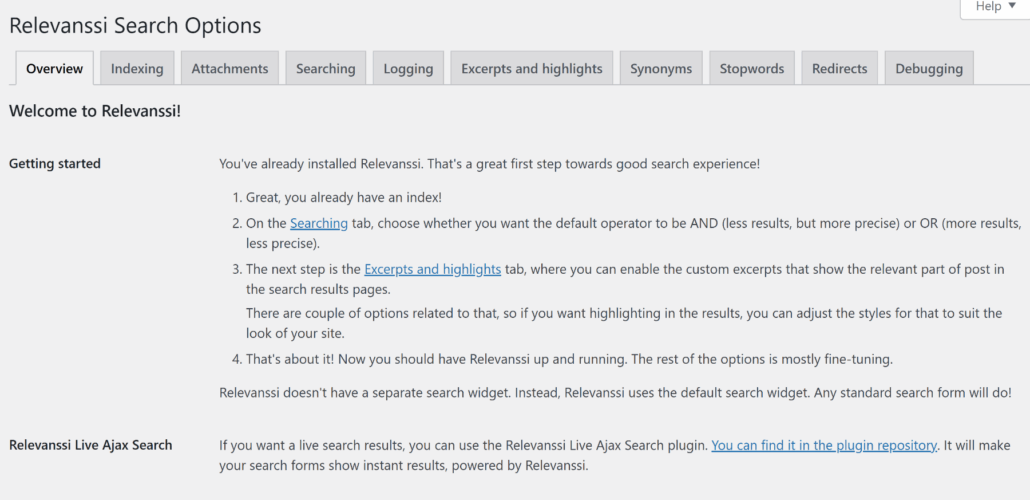
Even after you go through the initial plugin setup, the following process of its customization doesn’t get any easier.
The dashboard’s number of tabs and checkboxes can be overwhelming even for experienced users.
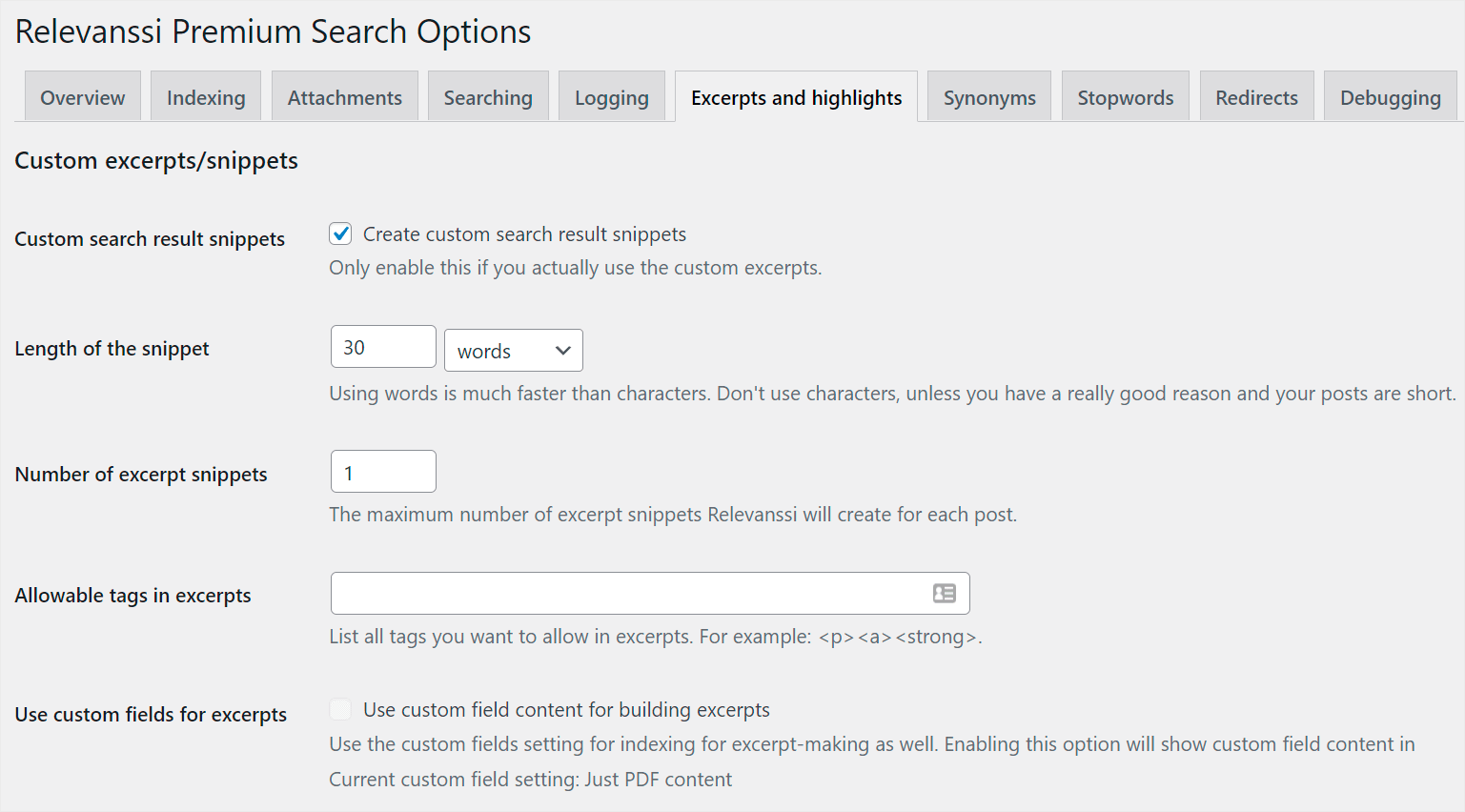
Plus, Relevanssi doesn’t have its UI or user interface, which may discourage you from exploring the plugin’s features.
These facts make Relevenssi’s dashboard more suitable for WordPress techies than beginners.
Customer Support
Another important thing to consider when choosing a WordPress search plugin is its customer support service.
Having dependable customer support is crucial because they’re dedicated to helping you whenever you need help using the plugin.
Let’s compare the customer support of SearchWP and Relevanssi plugins.
SearchWP
SearchWP has an outstanding support team that’s always ready to help you with any issues.
They use a ticket system, and you can create a new ticket without even leaving your WordPress dashboard.
Simply go to the Tools page and then switch to the ‘Support’ tab.
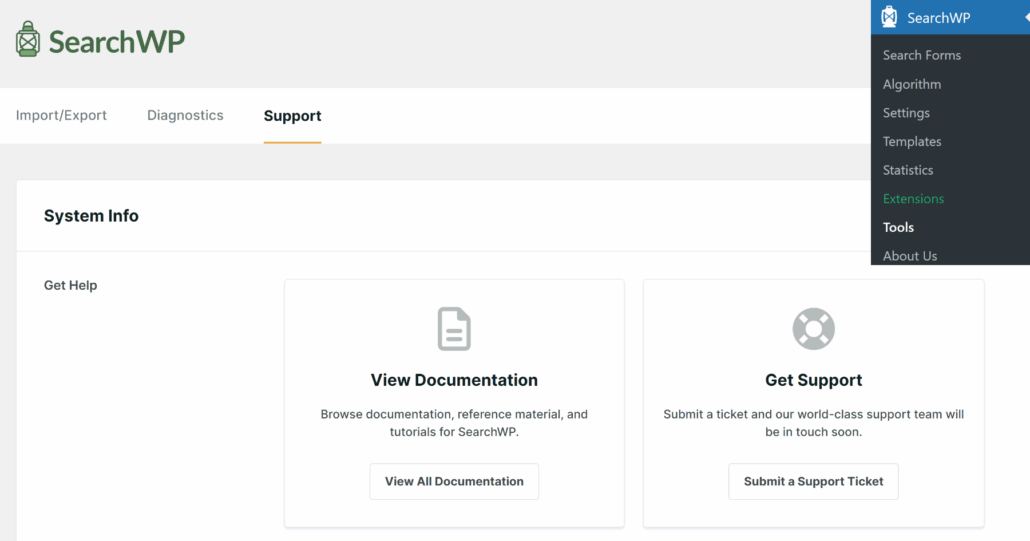
You can also find help by going to your Account area on the SearchWP website.
Go ahead and switch to the ‘Support’ tab, and you’ll find a chat interface to ask questions.

If you’re a more experienced WordPress user, you can also check out the SearchWP documentation section.
There is also a dedicated SearchWP blog page where you’ll find many helpful tutorials and step-by-step guides.
Relevanssi
The support options offered by Relevanssi are mainly through the support forum on WordPress.org.
You can visit the support page and start a new topic to get your queries resolved.
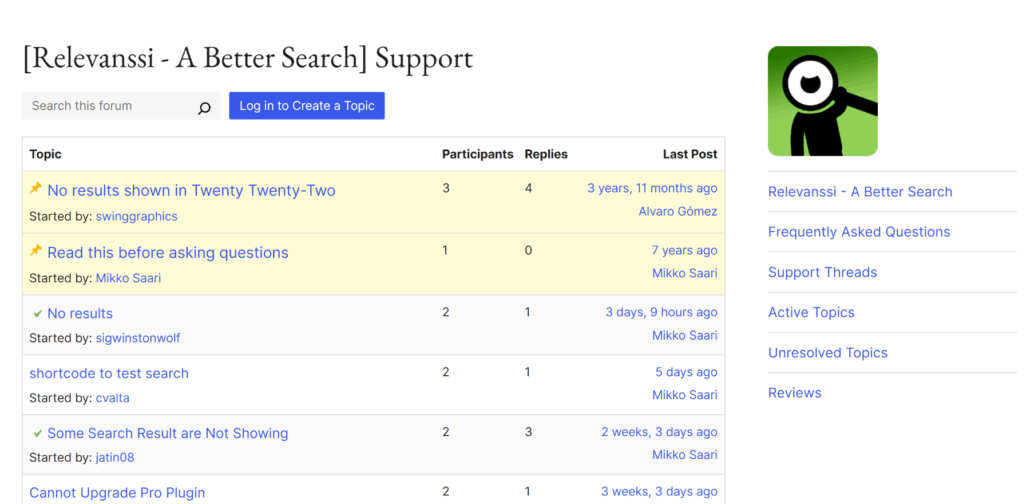
Relevanssi doesn’t have a ticket system. You can get support through the contact form on the plugin website or ask a question on the official forum.
As with SearchWP, you can check out the Relevanssi knowledge base to try to solve your issue yourself.
Pricing
Good value for money is one of the main factors when choosing a plugin. Let’s see the pricing packages that SearchWP and Relevanssi offer.
SearchWP
SearchWP includes 3 pricing plans: Standard, Pro, and All Access Bundle.
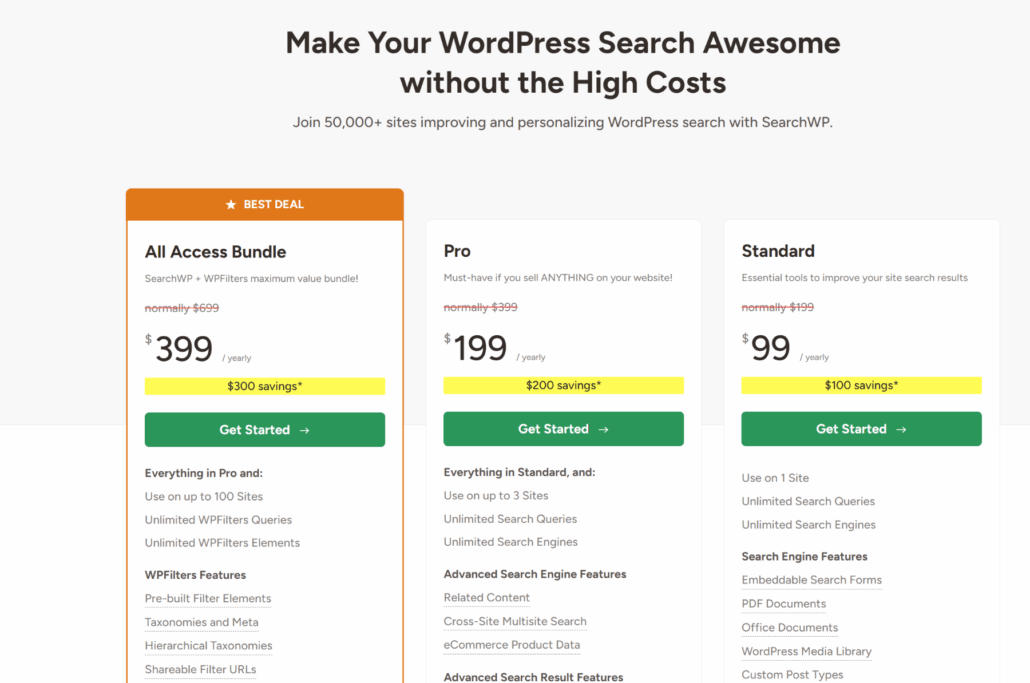
Let’s take a closer look at them:
- Standard: $99 per year – includes a license for 1 site, all standard features, extensions, and support.
- Pro: $199 per year – includes a license for 3 sites, all standard features, extensions, and support. It also comes with eCommerce and advanced integrations, such as WooCommerce Integration, Metrics, Related Content, Redirects, and Custom Results Order.
- All Access Bundle: $399 per year – includes a license for an unlimited number of sites, all standard and pro features, extensions, and support.
SearchWP has a 14-day full refund policy, so you can get 100% of your money back if you believe it’s not a good fit. You’re also free to change plans or cancel your account if you need to.
Relevanssi
Relevanssi comes in 2 versions.
There is a free version that you can download from the official WordPress plugin repository.
It has fewer features and limited support – you can still use it if you want to provide fast search results but with little room for customization and adjustment.
When it comes to the premium version, it includes 2 pricing plans:

- Annual: $119.61 per year – license for unlimited sites. Includes support and upgrades for a year.
- Permanent: $400.71 for a lifetime license for unlimited sites. Includes lifetime upgrades and support.
Relevanssi offers a 30-day money-back guarantee, so you can get your money back within 30 days of purchase, no questions asked.
Our Verdict
Once we compare the features, ease of use, customer support, and pricing of SearchWP and Relevanssi, it’s time to choose the winner.
Our top pick for the best WordPress search plugin is SearchWP. This plugin offers more value for its price.
In addition to all standard features, a premium SearchWP license also gives you access to its integrations and extensions, such as Metrics, Redirects, Custom Results Order, and many others.
Plus, it has an intuitive interface and responsive customer support. Due to that, you can boost your on-site search with just a couple of clicks, even if you’re a WordPress newbie.
To do the same with Relevanssi, you would have to be an advanced WordPress user. Not to mention that it would’ve taken much more time and needed more technical knowledge to use Relevanssi.
Over 50,000 website owners are already using SearchWP to deliver the most relevant search results to their visitors.
We hope this article helped you pick between SearchWP vs Relevanssi. You may also want to see our guides on how to make WordPress search media files and how to add a modal search form in WordPress without editing code.
Ready to enhance the search experience on your WordPress site? You can get your copy of SearchWP here.