



Utilizzo di Elementor per Motori Supplementari
Utilizzare Elementor per progettare e creare moduli e risultati di ricerca supplementari richiede alcuni passaggi, ma è fattibile!
Inizia creando una nuova Pagina
Accedendo all'area di amministrazione di WordPress, inizia creando una nuova Pagina utilizzando Elementor.
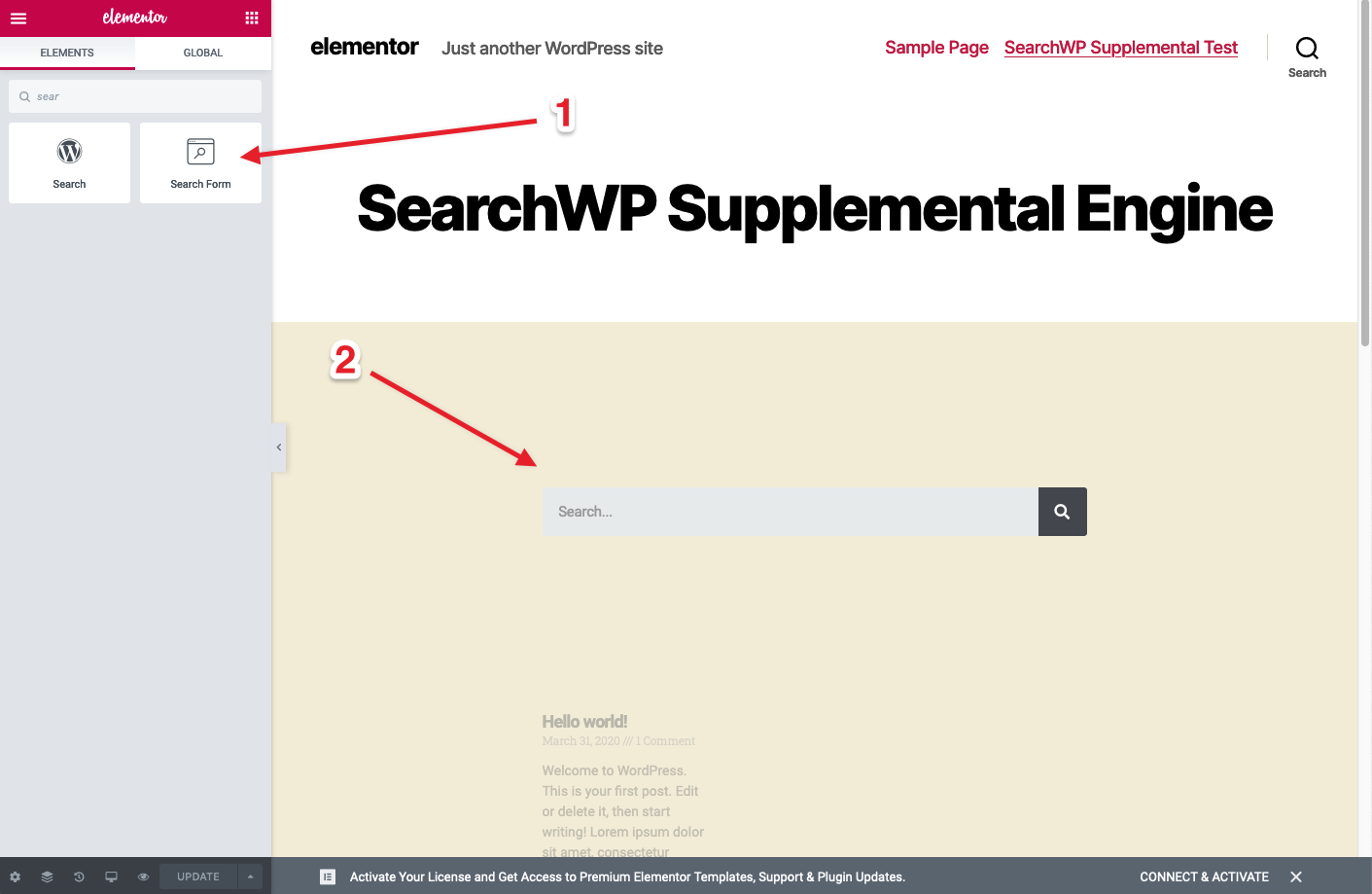
Trascina un widget Modulo di ricerca:
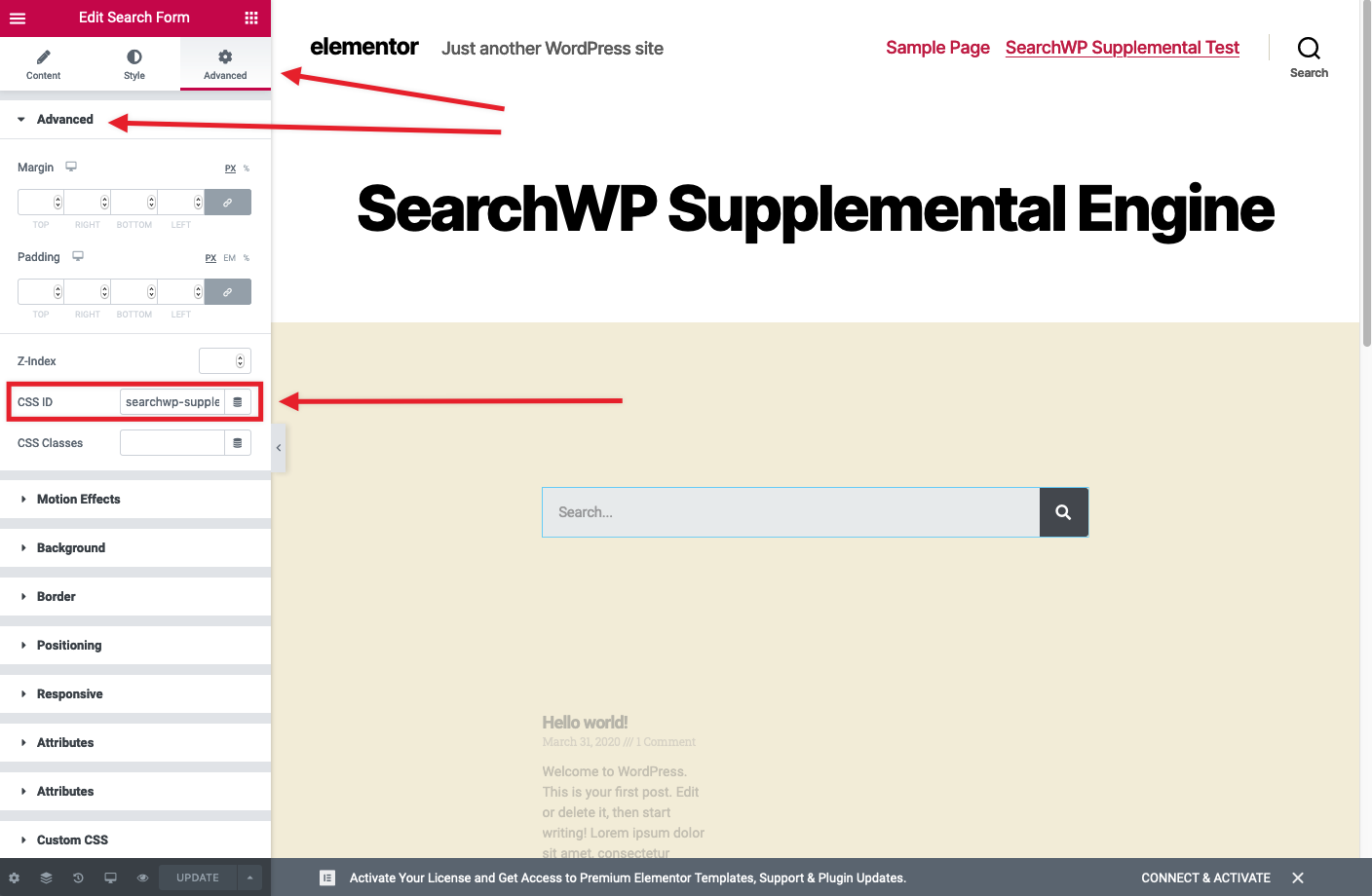
IMPORTANTE: Modifica l'ID CSS nel pannello Avanzate per il Modulo di ricerca e assegnagli un ID univoco. Per questo articolo utilizzeremo searchwp-supplemental-form:
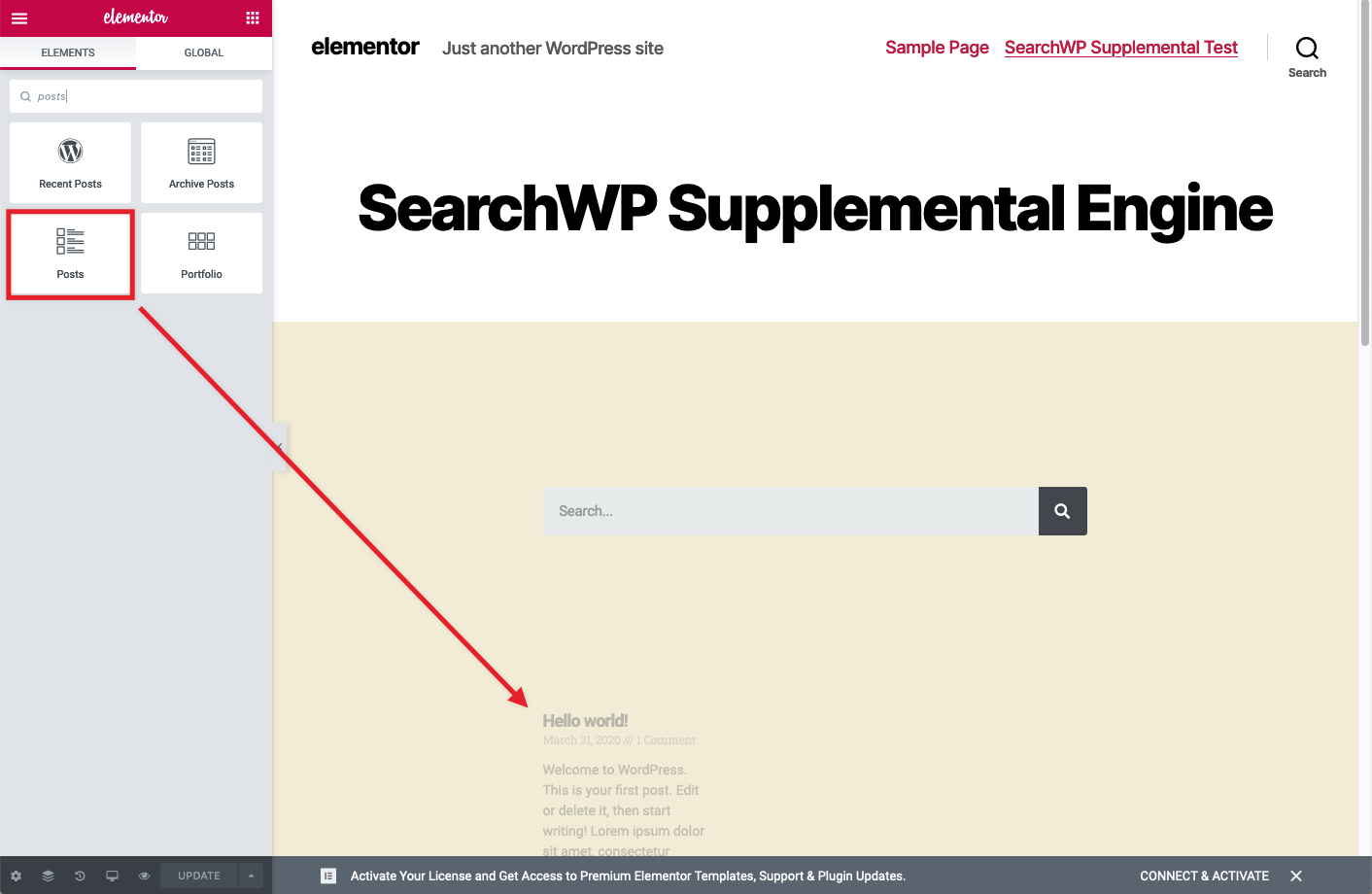
Sotto il widget Modulo di ricerca, aggiungi un widget Articoli:
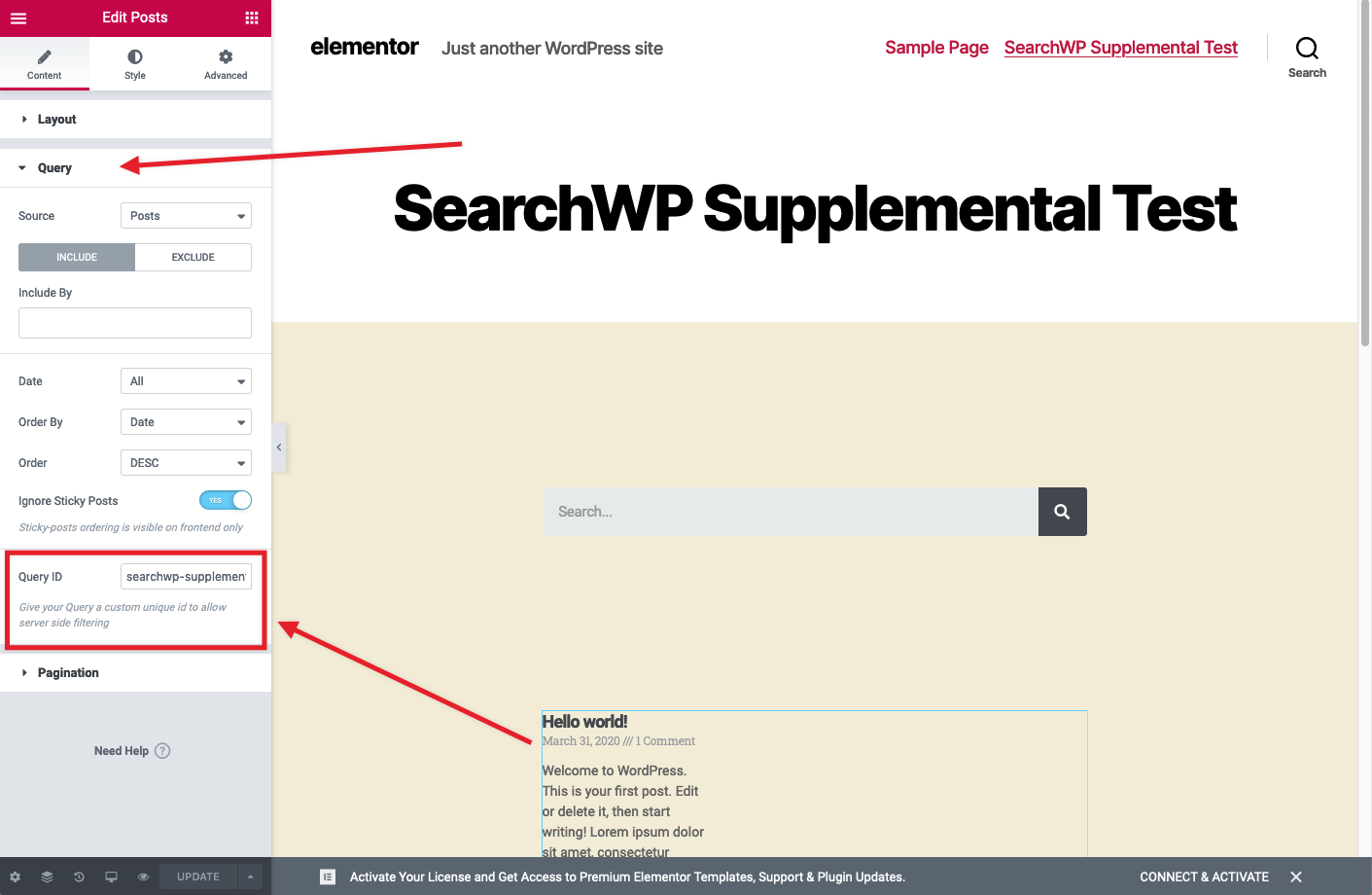
IMPORTANTE: Deve essere impostato un ID Query in modo da poterlo contrassegnare in un hook. Espandi il pannello Query per il widget Articoli e inserisci un ID Query univoco. Per questo articolo utilizzeremo searchwp-supplemental:
Questi due widget faciliteranno la ricerca nel tuo motore supplementare.
Aggiungi gli hook necessari
Sono necessari alcuni hook per far funzionare tutto. Puoi aggiungerli al file functions.php del tuo tema:
| <?php | |
| // @link https://searchwp.com/documentation/knowledge-base/using-elementor-for-supplemental-engines/ | |
| // We need to flag the search form. | |
| add_action( 'elementor_pro/search_form/after_input', function( $form ) { | |
| // Check to see if this is the right Search Form. | |
| $settings = $form->get_data( 'settings' ); | |
| if ( isset( $settings['_element_id'] ) && 'searchwp-supplemental-form' == $settings['_element_id'] ) { | |
| ?> | |
| <input type="hidden" name="searchwp" value="supplemental" /> | |
| <?php | |
| } | |
| } ); | |
| // Redirect when applicable. | |
| add_action( 'template_redirect', function() { | |
| if ( is_search() && ! empty( $_GET['searchwp'] ) && 'supplemental' === $_GET['searchwp'] ) { | |
| wp_safe_redirect( add_query_arg( array( | |
| 'swpquery' => get_search_query(), | |
| ), get_permalink( 18 ) ) ); | |
| exit(); | |
| } | |
| } ); | |
| // Provide Search results. | |
| add_filter( 'elementor/query/query_args', function( $query_vars, $widget ) { | |
| // Check to see if this is the right Widget. | |
| $settings = $widget->get_data( 'settings' ); | |
| if ( is_admin() | |
| || ! isset( $settings['posts_query_id'] ) | |
| || ( ! empty( $settings['posts_query_id'] ) && 'searchwp-supplemental' !== $settings['posts_query_id'] ) ) { | |
| return $query_vars; | |
| } | |
| // This form field was set up in Elementor. | |
| $query = isset( $_GET['swpquery'] ) ? sanitize_text_field( $_GET['swpquery'] ) : ''; | |
| if ( ! empty( $query ) ) { | |
| // Perform the search. | |
| $searchwp = new SWP_Query( array( | |
| 's' => $query, | |
| 'engine' => 'supplemental', // Engine to search. | |
| 'fields' => 'ids', | |
| 'posts_per_page' => -1, | |
| ) ); | |
| if ( empty( $searchwp->posts ) ) { | |
| $searchwp->posts = array( 0 ); | |
| } | |
| // Override the query vars with SearchWP results. | |
| $query_vars['post__in'] = $searchwp->posts; | |
| $query_vars['post_type'] = 'any'; // Restricted by post__in. | |
| $query_vars['post_status'] = 'any'; // Restricted by post__in. | |
| $query_vars['orderby'] = 'post__in'; // Order by post__in. | |
| $query_vars['order'] = 'DESC'; // Order descending. | |
| } else { | |
| // Force no results. | |
| $query_vars['post__in'] = array( 0 ); | |
| } | |
| return $query_vars; | |
| }, 10, 2 ); |
Il primo hook (righe 7-18) aggiunge un input nascosto al modulo di ricerca.
Il secondo hook (righe 20-28) cerca quell'input nascosto e, se trovato, reindirizzerà alla nostra pagina del motore supplementare.
NOTA: L'ID della Pagina in questo articolo è 18, devi aggiornare l'ID (vedi riga 22) all'ID della tua Pagina appena creata con cui stiamo lavorando.
Il terzo e ultimo hook (righe 30-68) sono responsabili della sovrascrittura del contenuto del widget Articoli che abbiamo aggiunto con i risultati di SearchWP.
NOTA: Il nome del motore supplementare deve essere aggiornato (vedi riga 45) per corrispondere al nome del motore supplementare che desideri cercare.
